Client workspaces on the Agency plan
A client workspace keeps one client’s links, QR codes, Bio Pages, domains and reports apart from everything else, on Pro limits. Agency includes 10.
Updated October 12, 2026
On the Agency plan you get your own workspace with everything in Business, plus up to 10 client workspaces. Each client workspace is a separate space for one client, running on Pro limits, that your team can work in and your client can sign in to.
Create a client workspace
- 1
Open Workspaces & team
Click your name at the bottom of the sidebar and choose Workspaces & team.
- 2
Fill in the client
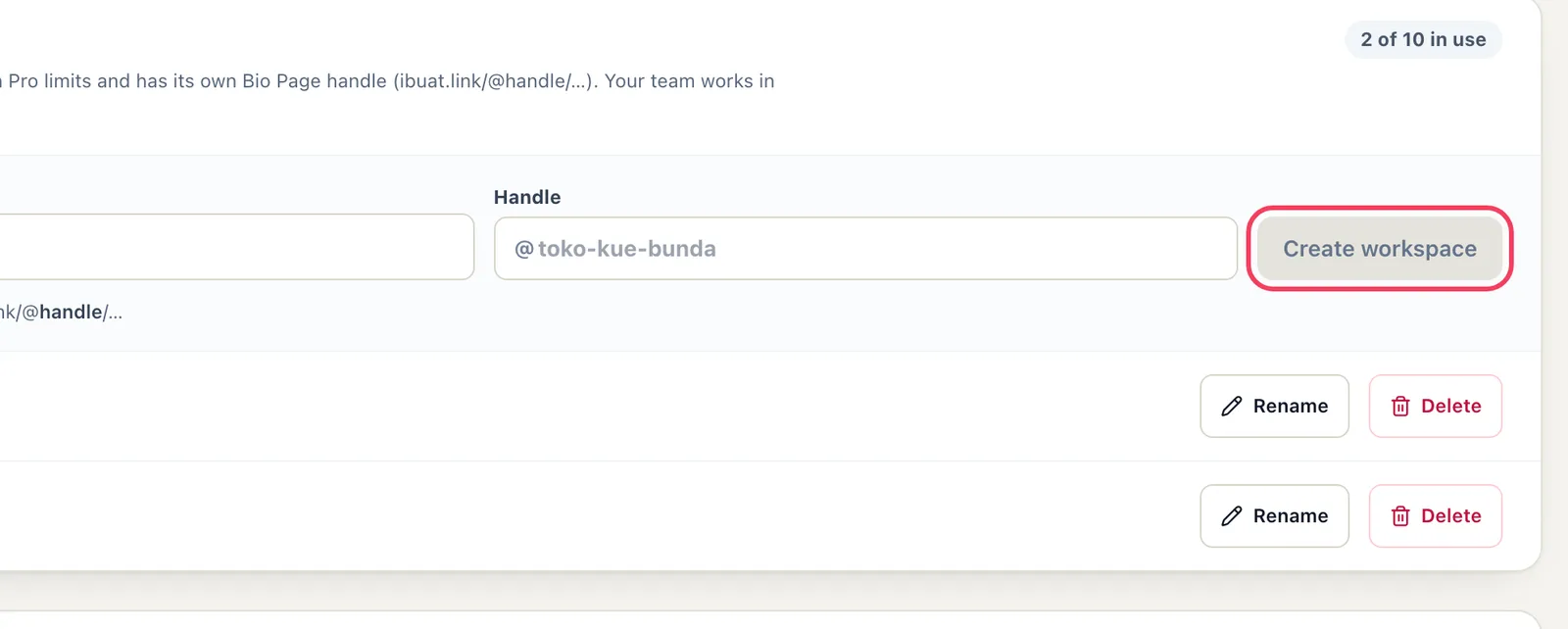
Under Client workspaces, enter the Client name and a Handle. Their Bio Pages will live at ibuat.link/@handle/…
- 3
Create it
Click Create workspace. It appears in the list and in the workspace switcher.
What’s separate in each workspace
- Short links, QR codes, Bio Pages, campaigns and Sales Teams.
- Custom domains, webhooks, Google Sheets connections and API keys.
- Analytics and the plan limits (Pro limits for each client workspace, counted per workspace).
- Its own people: up to 5 client logins per workspace, who see only that workspace.
Billing is not separate: the Agency plan pays for every client workspace, and a client workspace has no plan or payment of its own. Emails about a client workspace go to the agency’s account.
Limits and what can go wrong
- When all your client workspaces are in use, Create workspace is disabled. You can buy extra client workspaces.
- Rename changes the name only. The handle can’t be changed after you create the workspace.
- Delete removes every link, QR code, Bio Page, campaign and report in that workspace for good, and its links stop working. You confirm with the handle and your password.
- If your Agency plan ends, client workspaces move to the Free plan. Their links keep working, paid features lock, and your team and client logins lose access until Agency is active again.
Related articles
- Invite team members and clients, and what each role can doInvite people by email from Workspaces & team, pick a role, and remove them any time. Removing someone also turns off the API keys and integrations they added.
- Switch between workspacesUse the workspace switcher in the top bar to move between your own workspace, client workspaces and workspaces shared with you.
- Add more client workspacesAgency includes 10 client workspaces. Buy more from Workspaces & team, by card or in Rupiah, and remove them again when you no longer need them.
- Plans and their limitsWhat Free, Creator, Pro, Business and Agency each include: links, QR codes, Bio Pages, tracked clicks, analytics history, domains, orders and more.
Still need help?
Send us a ticket from your dashboard: the headset button at the top right, then Contact support. We reply there and by email.