Contact support
Open a ticket from the headset button in the dashboard header. Replies show up in the dashboard and in your email, usually within one business day.
Updated October 12, 2026
Support works through tickets inside the dashboard, so we already know which account you mean.
- 1
Open Support
Click the headset button in the header (top right) → Contact support.
- 2
Start a ticket
Click New ticket. Pick a Topic: Account & login, Billing & plans, Links & QR codes, Bio Pages, Something is broken, Feature request or Other.
- 3
Describe it
Write a short Subject and a Message: what happened, what you expected, and the short link or QR code involved. Click Send ticket.
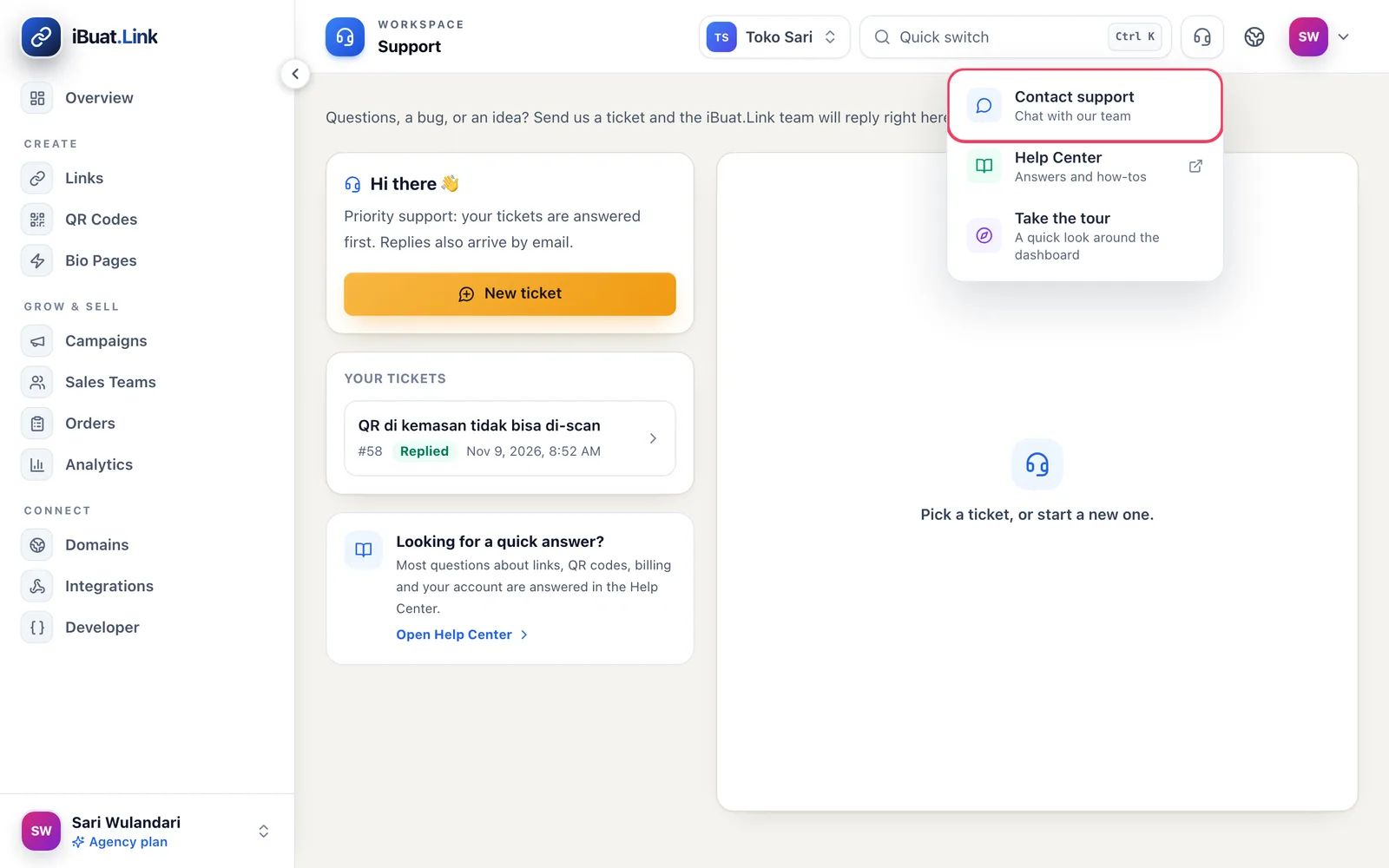
We email you a copy, and our replies arrive in the ticket and by email. A red number on the headset button counts new replies, and opening the ticket clears it.
Following up
- Each ticket shows Waiting for support, Replied or Closed.
- Reply in the same ticket instead of opening a new one.
- Mark as solved closes a ticket. Send a message to reopen it.
Response time
We usually reply within one business day. On Business and Agency, and for team members working in a workspace on those plans, tickets get priority support and are answered first. See Plans and limits.
Related articles
- Recover an account you can’t sign in toLost access to your email or your sign-in code? Send a recovery request. The current address can cancel it, and our team reviews it after 7 days.
- Emails from iBuat.Link aren’t arrivingCheck spam and promotions first. Our emails come from an @ibuat.link address, and each kind of link or code is only valid for a while.
- Plans and their limitsWhat Free, Creator, Pro, Business and Agency each include: links, QR codes, Bio Pages, tracked clicks, analytics history, domains, orders and more.
Still need help?
Send us a ticket from your dashboard: the headset button at the top right, then Contact support. We reply there and by email.