A short link doesn’t open
The page your visitors see tells you why: Link Not Found (deleted, expired or mistyped), unavailable (disabled or suspended), or a browser error on a custom domain.
Updated October 17, 2026
Open the link yourself and look at the page you get. Each one points to a different cause. Visitors whose browser is set to Indonesian see these pages in Indonesian, everyone else in English. Short links look like ibuat.link/r/your-slug (free links made on the homepage: ibuat.cloud/code), so first check that the address was copied whole.
| What the visitor sees | Why | What to do |
|---|---|---|
| Link Not Found (“The short link ibuat.link/r/… does not exist or has expired.”) | The link was deleted, its expiration date has passed, or the slug has a typo. A free link from the homepage (ibuat.cloud/…) also ends up here after 7 days without a click. | Expired: open the link → Edit link, change Expiration date or click Remove expiration. A deleted link, or a free link that stopped, can’t be brought back, so make a new one. |
| This short link is unavailable (“It has been disabled or is no longer active.”) | The link’s status is Disabled, it was Suspended for a content violation, or it opens a Bio Page that is no longer published. | Disabled: Edit link → Status → Active. Suspended: contact support. |
| You’re about to open another website | A warning page that a free link made on the homepage without an account (ibuat.cloud/…) shows when it looks risky: it was reported, got a sudden flood of clicks, or points to a domain registered in the last 30 days. | Visitors can still continue with Continue to. Report the link if you didn’t expect it. See Free short links and QR codes. |
| A browser error (site can’t be reached, certificate warning) | The link uses your custom domain and its DNS record is missing or changed. | Check the record. See Custom domain DNS. |
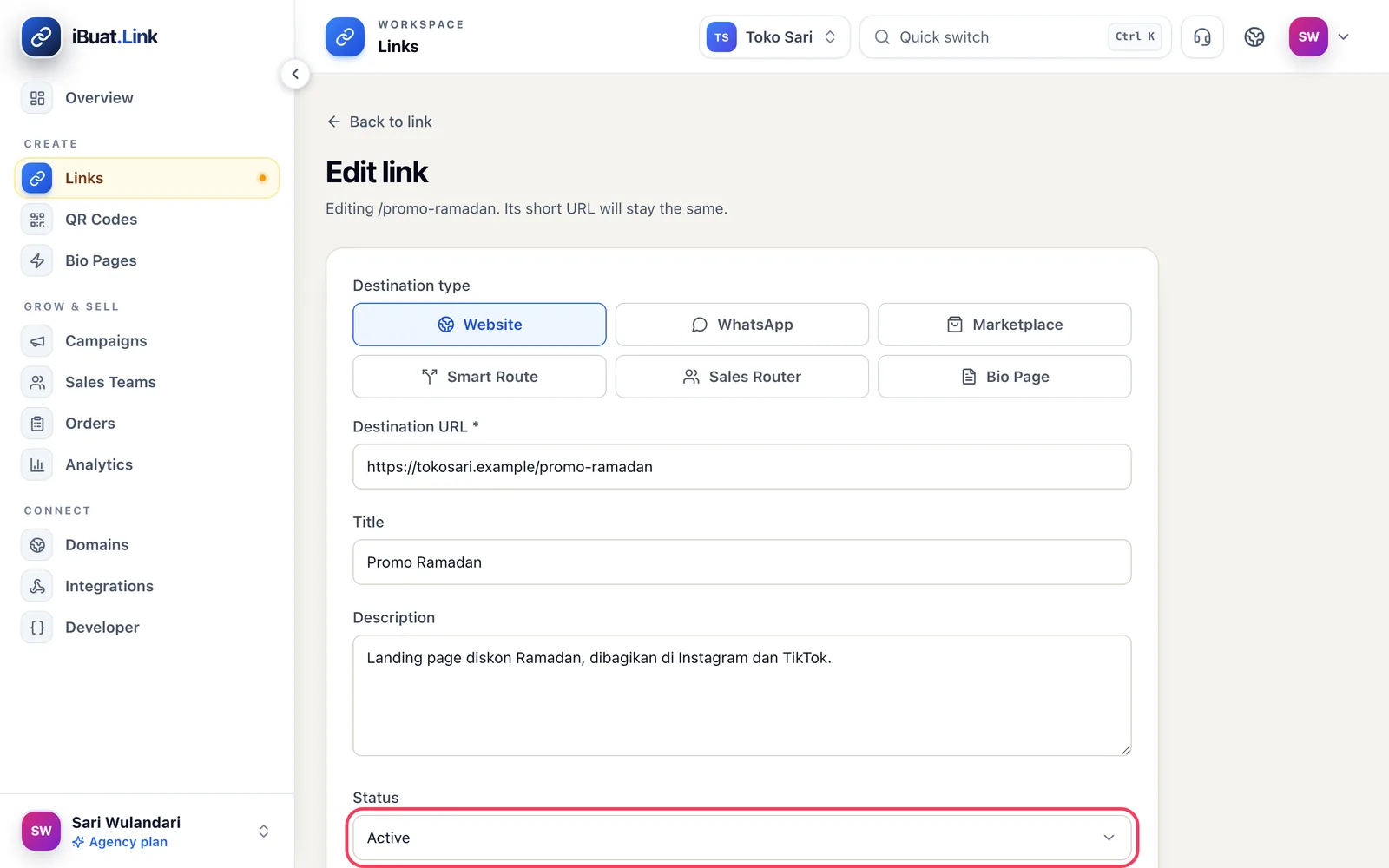
Check the status in the dashboard
Go to Links in the sidebar. The status badge next to each link reads Active, Disabled, Expired or Suspended. A suspended link can’t be edited or deleted.
Links on your own domain
- While the domain isn’t verified, or when your plan no longer includes custom domains, visitors are sent to the same link on ibuat.link. The link works, just without your domain.
- A link only opens on the domain of the account that owns it. Another account’s link shows Link Not Found there.
- A free link from the homepage opens only on ibuat.cloud, even after you save it to your account. The same code on ibuat.link shows Link Not Found.
Related articles
- Set an expiry date or turn a link offMake a link stop working on a set date, or switch it off and on by hand, and see what visitors get when it’s off.
- Edit a short linkChange a link’s destination, title, status, campaign, domain or expiry. The short address stays the same, so everyone who already has it gets the new destination.
- Custom domain won’t verifyWhat each domain status and verification message means, how long verification can take, and the DNS mistakes that usually cause it.
- Free short links and QR codes, no account neededThe homepage makes a QR code or a short link for anyone, without signing up. Free short links live at ibuat.cloud, stop after 7 days without a click, and are yours to keep once you sign up.
- Contact supportOpen a ticket from the headset button in the dashboard header. Replies show up in the dashboard and in your email, usually within one business day.
Still need help?
Send us a ticket from your dashboard: the headset button at the top right, then Contact support. We reply there and by email.