Upgrade your plan
Open Billing, compare plans and pick one. Visitors in Indonesia pay in Rupiah, everyone else by card in US dollars; the plan starts once the payment is confirmed.
Updated October 12, 2026
You can upgrade any time from the dashboard. Your links, QR codes and Bio Pages stay exactly as they are; you just get higher limits and more features.
- 1
Open Billing
Click your name at the bottom of the sidebar and choose Billing.
- 2
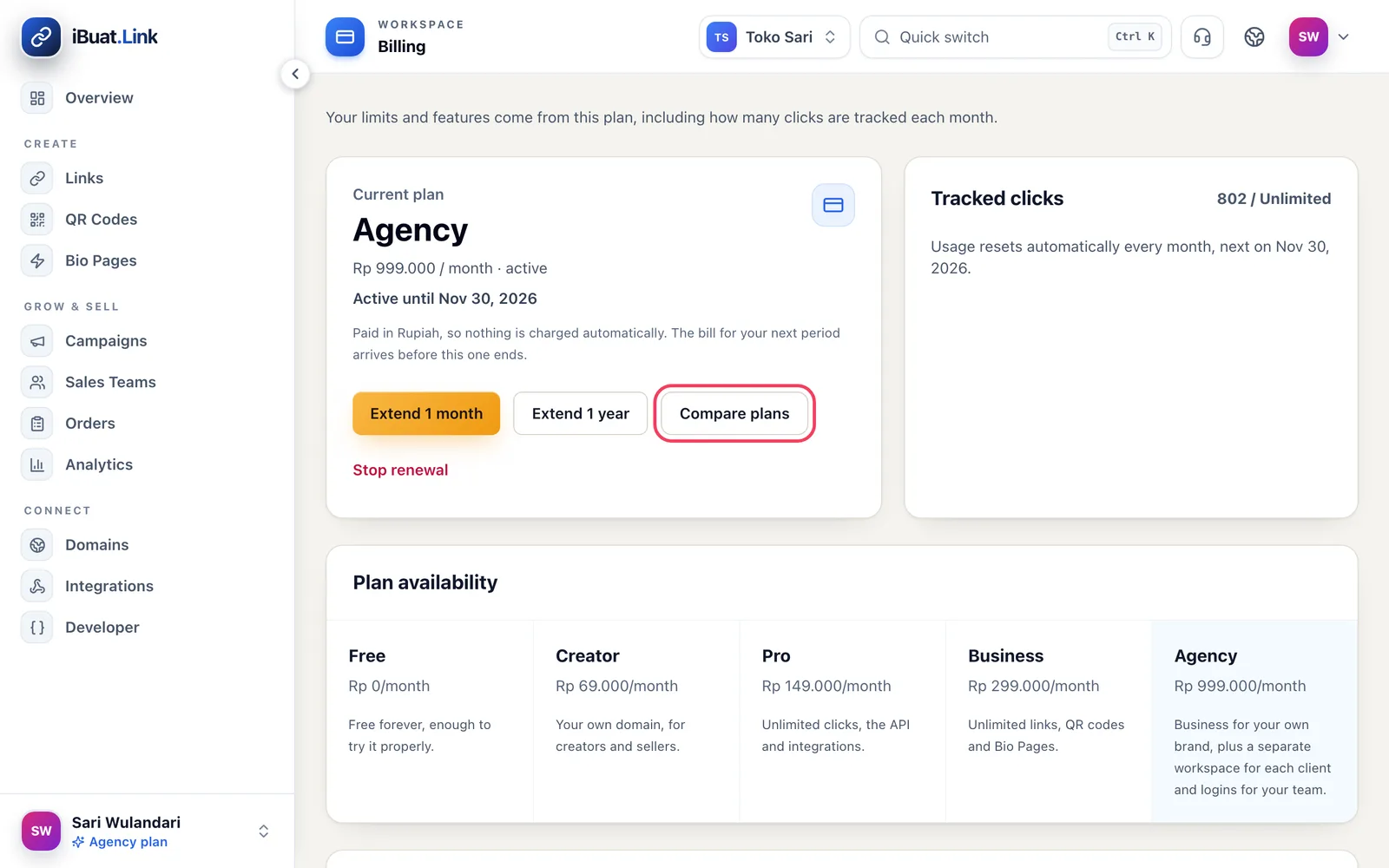
Compare plans
Click Compare plans. On the Pricing page, choose Monthly or Yearly at the top.
- 3
Pick a plan
Click Choose Pro (or the plan you want). If you already pay for a plan, the button says Switch to ….
- 4
Pay
By card you finish on our payment partner’s secure checkout. In Rupiah you choose QRIS, bank transfer or card on the payment page. The plan becomes active as soon as the payment is confirmed.
Rupiah or card: who pays how
There’s no currency switch. If you open iBuat.Link from Indonesia, you see Rupiah prices and pay in Rupiah. From anywhere else, you see US dollars and pay by card. A running plan keeps its way of paying until it ends, wherever you open the dashboard from.
Upgrading a plan you already pay for
- Card: a dialog shows roughly what’s charged now (a full period of the new plan, minus the unused part of your current one). Click Upgrade & pay. Your new billing period starts today.
- Rupiah: the payment page shows the difference for the days left. After you pay, your renewal date stays the same.
If the card payment went through but Billing still shows your old plan, wait a minute and refresh. Don’t pay again.
Related articles
- Plans and their limitsWhat Free, Creator, Pro, Business and Agency each include: links, QR codes, Bio Pages, tracked clicks, analytics history, domains, orders and more.
- Paying in Rupiah (QRIS, bank transfer)In Indonesia you pay in Rupiah by QRIS, bank transfer (VA) or card where available. Rupiah plans never renew by themselves: you pay a bill for each new period.
- Paying by card in US dollarsOutside Indonesia, plans are paid by card in US dollars through our payment partner and renew automatically. You can change the card or cancel from Billing.
- Change or cancel your planUpgrades apply right away; downgrades and yearly-to-monthly switches wait for your next period. Canceling keeps paid features until the period you paid for ends.
Still need help?
Send us a ticket from your dashboard: the headset button at the top right, then Contact support. We reply there and by email.