Invoices and receipts
Rupiah receipts are on the Billing page, ready to print or save as PDF. Card invoices come from our payment partner’s customer portal.
Updated October 12, 2026
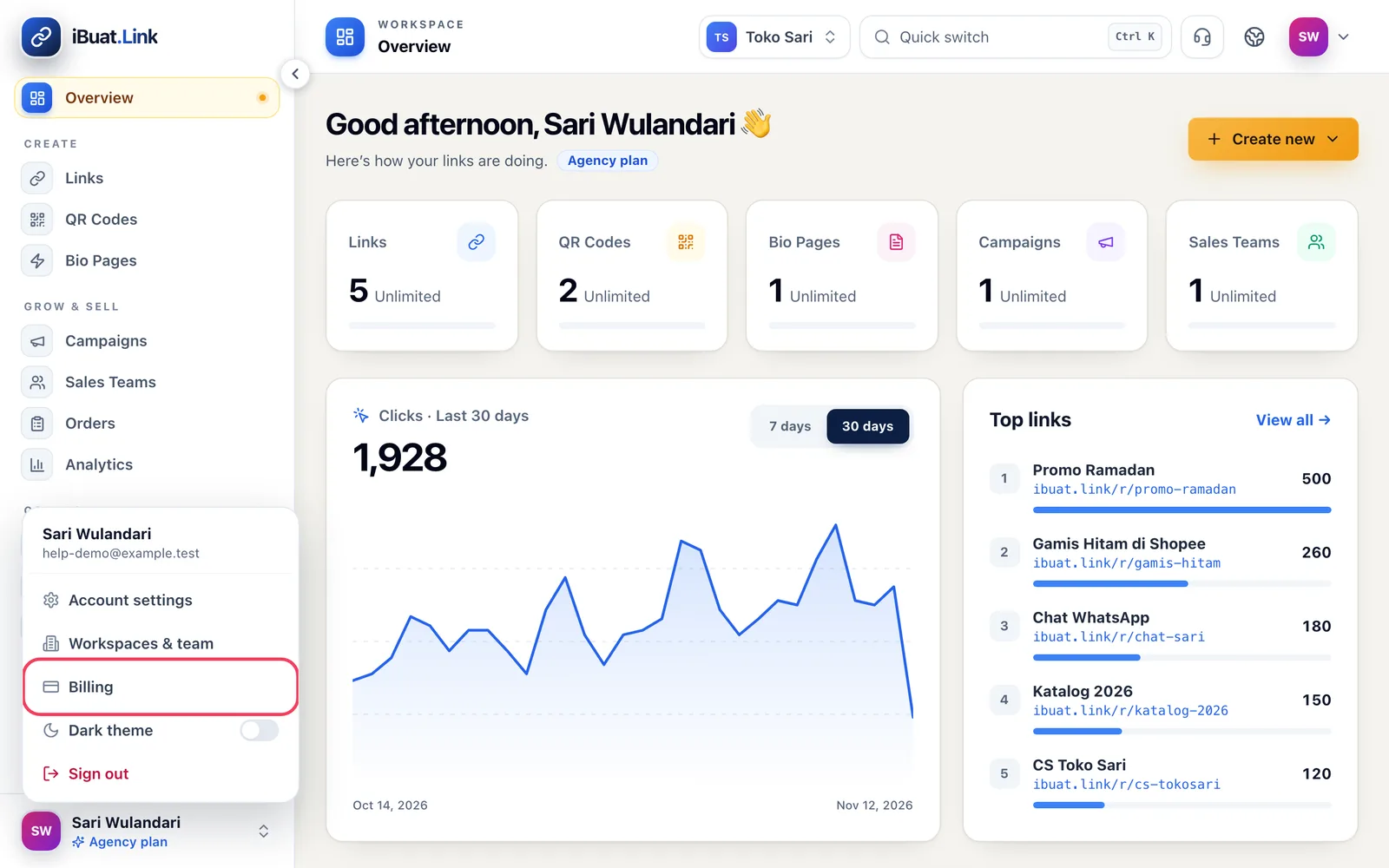
Where you find your paperwork depends on how you pay. Open Billing from the account menu: click your name at the bottom of the sidebar, then Billing.
Rupiah payments
- 1
Find the payment
On Billing, scroll to Payment history (every payment) or Bills (renewal bills).
- 2
Open the receipt
Click Receipt next to a paid payment or bill.
- 3
Save it
Click Print / save as PDF. The receipt shows the order ID, bill number, payment method, transaction ID, the period and the total paid.
Payment history also lists payments that failed, expired or were refunded. Receipts are proof of payment, not tax invoices.
Card payments (US dollars)
Card payments go through our payment partner, which is the merchant of record and issues the invoices. On Billing, click Change payment method to open its customer portal, where you can download your invoices and update your card. Card payments don’t appear in Payment history on Billing.
Related articles
- Paying in Rupiah (QRIS, bank transfer)In Indonesia you pay in Rupiah by QRIS, bank transfer (VA) or card where available. Rupiah plans never renew by themselves: you pay a bill for each new period.
- Paying by card in US dollarsOutside Indonesia, plans are paid by card in US dollars through our payment partner and renew automatically. You can change the card or cancel from Billing.
- RefundsCard payments can be refunded within 14 days (of a US dollar subscription’s first charge, or of a card payment in Rupiah). QRIS and bank transfer payments are final, unless you paid twice or something went wrong on our side.
- Contact supportOpen a ticket from the headset button in the dashboard header. Replies show up in the dashboard and in your email, usually within one business day.
Still need help?
Send us a ticket from your dashboard: the headset button at the top right, then Contact support. We reply there and by email.