Export analytics as CSV or PDF
Export CSV downloads one row per visit for the range and filters you have on. Save PDF (Creator and up) turns the page into a report you download from Exports.
Updated October 12, 2026
Both buttons sit in the toolbar of every analytics page and use what you have selected: the date range, Include bots, and on the workspace page the campaign, link and compare settings.
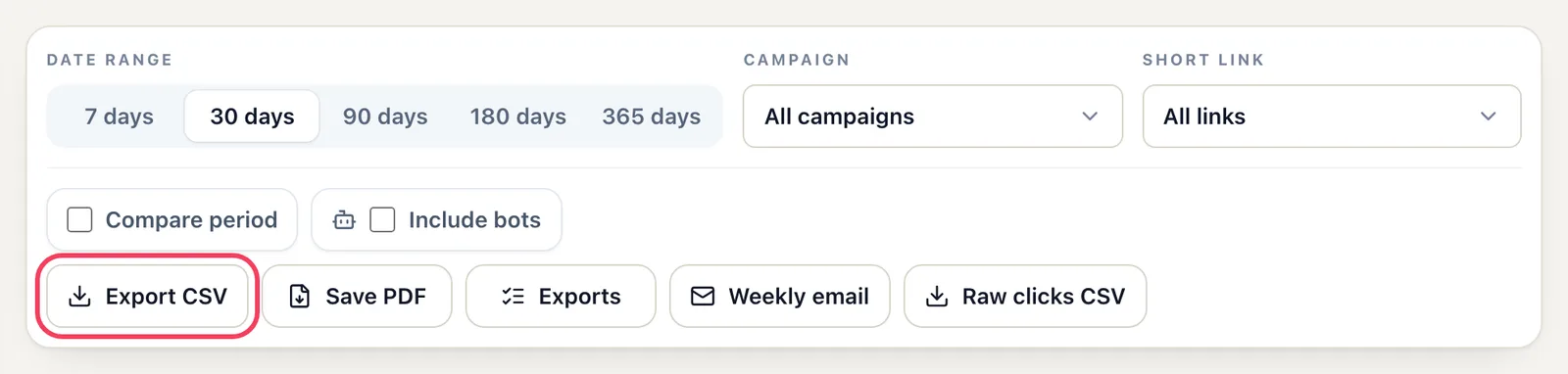
Export CSV
Click Export CSV. The file (for example ibuatlink-analytics-30d.csv) has one row per visit, with these columns:
| Column | What’s in it |
|---|---|
| timestamp | When it happened, in UTC. |
| event_type | link_click, qr_scan, landing_view (Bio Page view) or landing_click (Bio Page button). |
| resource_type | short_link, qr_code or bio_page. |
| country, city | Where the visitor was, estimated. |
| device, browser | For example mobile and Chrome. |
| referrer | The site they came from (domain only). |
- On Free, country, city, device, browser and referrer are left empty. The columns stay, so a spreadsheet built on the file keeps working after you upgrade.
- No IP address, visitor ID or browser details beyond the above are ever included.
- The CSV also lists Bio Page button clicks (landing_click), which the totals on the page leave out.
- You can export up to 30 times an hour.
Save PDF
- 1
Click Save PDF
Check the filters listed in Save this report as a PDF?, then click Save PDF.
- 2
Wait for it
The Exports menu opens with your report: Queued, Rendering…, then Ready.
- 3
Download
Click Download next to the report.
- PDF reports are on Creator and up.
- Up to 3 of your PDF exports can be in progress at once. When the server is busy, you’re asked first and can queue yours with Continue anyway.
- Exports lists your 10 most recent PDFs. They’re deleted after 7 days, so download them once they’re ready.
- A Failed export can simply be started again.
Related articles
- Read your analyticsThe Analytics page shows visits, unique visitors and where they came from across your workspace. Every link, QR code, Bio Page and campaign also has its own analytics page with the same cards.
- Filter analytics and handle botsOn the workspace Analytics page, narrow the numbers to one campaign or one short link. Bots are left out unless you tick Include bots. Here’s exactly what counts as a visit.
- Export Sales Router chats to Google SheetsConnect a Google account and every chat Sales Router sends to an agent is added as a new row in your own spreadsheet. No code needed. Pro and higher plans.
- Analytics history and tracked-click limitsYour plan sets how far back analytics go (30 to 365 days) and how many clicks are tracked each month. At the limit your links keep working; only new visits stop being recorded.
Still need help?
Send us a ticket from your dashboard: the headset button at the top right, then Contact support. We reply there and by email.