Set an expiry date or turn a link off
Make a link stop working on a set date, or switch it off and on by hand, and see what visitors get when it’s off.
Updated October 17, 2026
Expiration date
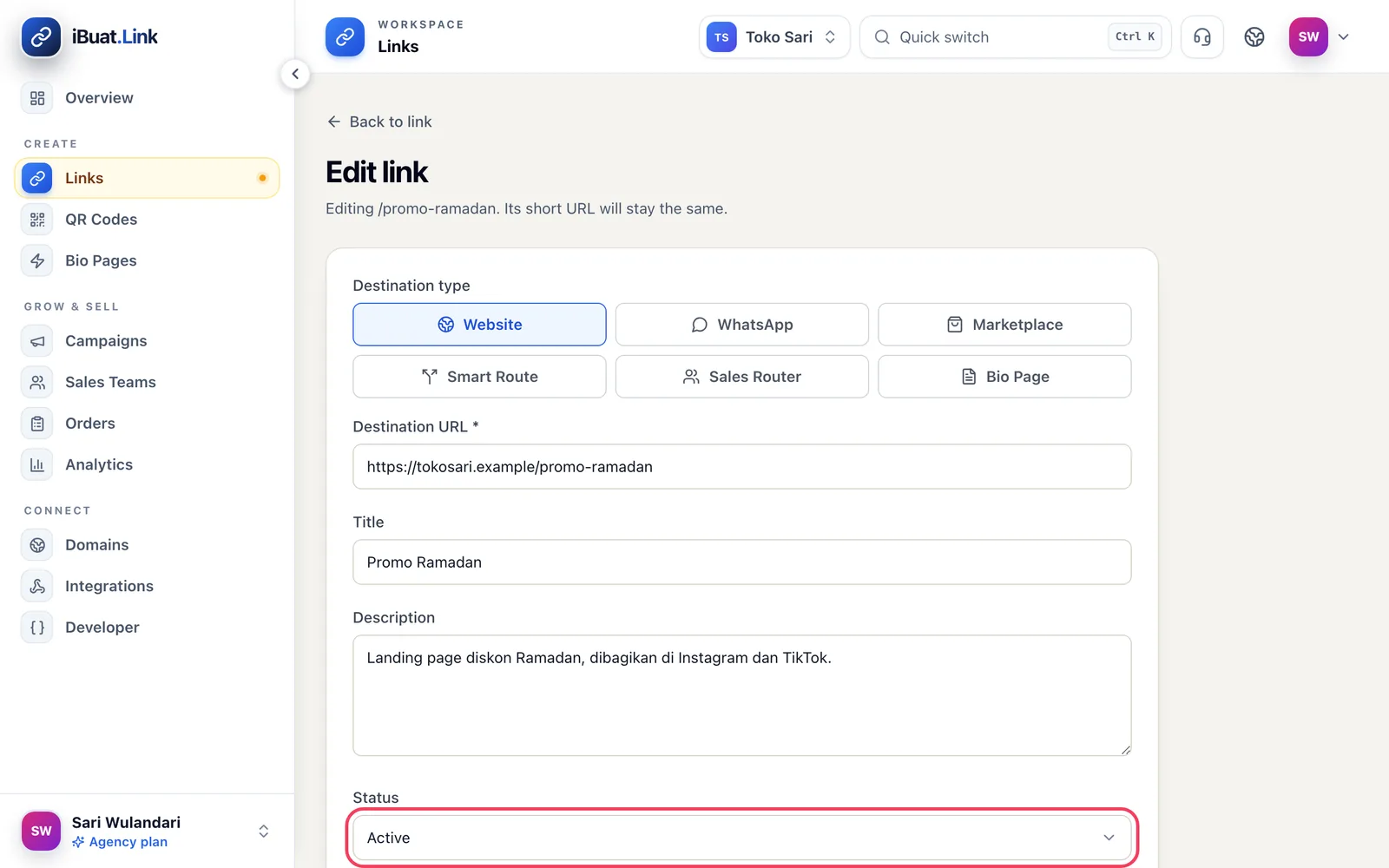
When you create a link, open More options and set Expiration date. For an existing link, it’s on the Edit link page. The date and time follow your device’s clock and must be in the future.
From that moment the link stops redirecting and shows as Expired. The Needs attention card on the Overview warns you 7 days before, and again once it has expired.
Turn a link off and on
- 1
Open Edit link
On Links, click the pencil icon on the row.
- 2
Change the status
Set Status to Disabled and click Save changes. The link stops at once.
- 3
Turn it back on
Set Status to Active and save again.
What visitors see
| The link is | Visitors see |
|---|---|
| Disabled | A page saying This short link is unavailable: it has been disabled or is no longer active. |
| Expired | A Link Not Found page saying ibuat.link/r/your-slug does not exist or has expired. |
| Deleted | The same Link Not Found page. |
Visitors whose browser is set to Indonesian see these pages in Indonesian (Short link ini tidak tersedia, Link Tidak Ditemukan), everyone else in English. They don’t count as clicks.
A free link made on the homepage without an account gets the same Link Not Found page, naming its ibuat.cloud address, once it has gone 7 days without a click. See Free short links and QR codes.
Bring an expired link back
Edit the link and pick a new date in the future, or click Remove expiration. It works again right away, at the same address.
Related articles
- Edit a short linkChange a link’s destination, title, status, campaign, domain or expiry. The short address stays the same, so everyone who already has it gets the new destination.
- Delete a short linkDeleting a link stops it for everyone and frees a slot in your plan. It can’t be undone, and its slug can’t be used again.
- What the Overview page showsThe Overview is your workspace at a glance: plan usage, clicks, top links, recent visits, and a Needs attention card for anything you should fix.
- A short link doesn’t openThe page your visitors see tells you why: Link Not Found (deleted, expired or mistyped), unavailable (disabled or suspended), or a browser error on a custom domain.
Still need help?
Send us a ticket from your dashboard: the headset button at the top right, then Contact support. We reply there and by email.