Choose the currency for a team’s sales
Each Sales Team records closings in one currency, chosen from 22. Pick it when you create the team and change it anytime under Closing tracking; past closings keep their own currency.
Updated October 12, 2026
Closings are recorded in the team’s currency, so a team selling in Singapore can report in SGD and one in Jakarta in Rupiah. Each team has its own.
Set or change the currency
- 1
When you create a team
Pick it under Sales currency. It starts on Rupiah when your dashboard is in Indonesian, otherwise on US dollars.
- 2
Any time later
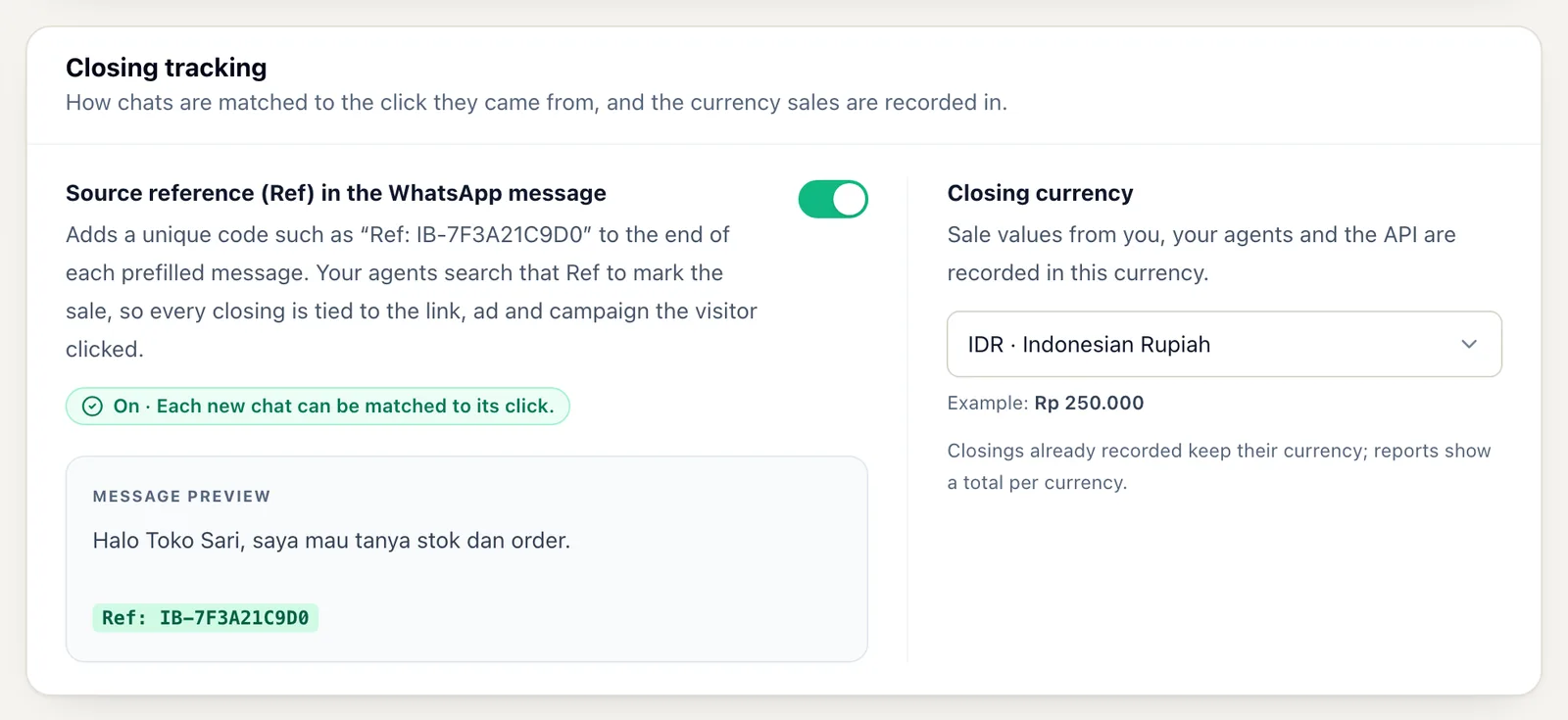
Open the team, go to the Closing tracking card and pick another one under Closing currency. It saves right away and shows an example amount.
The 22 currencies
IDR, USD, SGD, MYR, PHP, THB, VND, INR, AUD, NZD, EUR, GBP, JPY, KRW, CNY, HKD, TWD, AED, SAR, CAD, BRL and MXN.
What happens when you change it
- New closings, from you, your agents and the API, use the new currency.
- Closings already recorded keep their currency. Reports show a total per currency, such as “Rp 1.250.000 + $80”, and never convert between them.
- If someone has a form open while you change it, their save is refused and they’re asked to reload, so a value never lands in the wrong currency.
- Currencies like IDR, JPY, KRW and VND take whole numbers only.
- Through the API, leave the currency out or send the team’s own. Any other currency is refused.
- This is only for recording sales. It doesn’t change the currency you pay iBuat.Link in.
Related articles
- Record a sale (closing) from a WhatsApp chatMark a routed chat as a sale with its value: find it by its Ref code, click Mark sale and enter the amount. Agents can do it on their own page, and your systems through the API.
- Read a Sales Team’s reportEach team page shows how many visitors went to each agent and how often the fallback number was used, plus closings, close rate and sales value per agent and per source on Pro and up.
- Record closings with the APIMark a Sales Router chat as a sale from your payment system, invoice tool or CRM by sending its Ref code and value to the API.
Still need help?
Send us a ticket from your dashboard: the headset button at the top right, then Contact support. We reply there and by email.