Read a Sales Team’s report
Each team page shows how many visitors went to each agent and how often the fallback number was used, plus closings, close rate and sales value per agent and per source on Pro and up.
Updated October 12, 2026
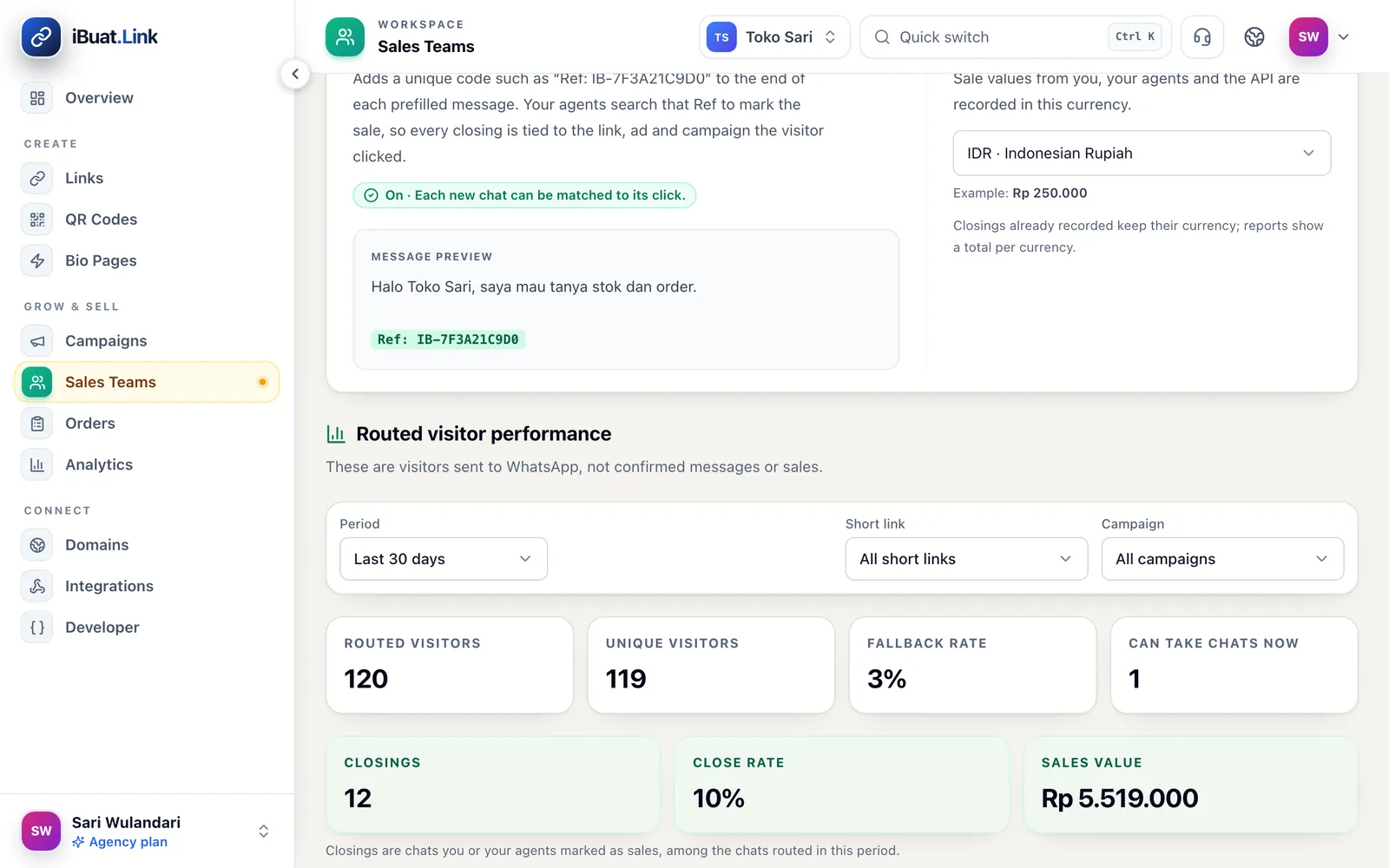
Open a team from Sales Teams and scroll to Routed visitor performance. These numbers are visitors sent to WhatsApp, not confirmed messages: someone can open the chat and never send anything.
Filters
Pick a Period (Last 7 days, Last 30 days, or Custom range with From and To) and, if you like, one Short link or Campaign.
What the numbers mean
| Card | Meaning |
|---|---|
| Routed visitors | Visitors sent to an agent or to the fallback number in the period. |
| Unique visitors | The same, with a person who came back several times counted once. |
| Fallback rate | The share that went to the fallback number because no agent could take them. |
| Can take chats now | Agents who are Active, Available and inside their working hours at this moment. |
| Closings, Close rate, Sales value | Chats marked as sales among those routed in the period. Close rate is closings divided by routed visitors; sales value is totalled per currency. |
Charts and tables
- Daily routed visitors: visitors per day, including how many went to the fallback number.
- Agent distribution: per agent, their Routing status, Routed visitors, Traffic share, Back to same agent (returning visitors), Last routed and, with closings, their own close rate and sales value.
- Closings by source: closings per short link and per campaign, so you can see which ads sell.
- Under the report, Routed visits lists every visit with its date, agent, mode, Ref and closing.
Related articles
- How chats are shared: round robin, weighted, sticky and fallbackRound robin gives each new chat to the agent who has waited longest; weighted splits chats by the weight you set. Returning visitors can go back to the same agent, and the fallback number catches the rest.
- Record a sale (closing) from a WhatsApp chatMark a routed chat as a sale with its value: find it by its Ref code, click Mark sale and enter the amount. Agents can do it on their own page, and your systems through the API.
- Set an agent to Available, Away or Off shiftAvailability pauses new chats for one agent without touching their settings. You, the agent on their own page, or your tools through the API can change it.
- Read your analyticsThe Analytics page shows visits, unique visitors and where they came from across your workspace. Every link, QR code, Bio Page and campaign also has its own analytics page with the same cards.
Still need help?
Send us a ticket from your dashboard: the headset button at the top right, then Contact support. We reply there and by email.