Ready-made n8n templates
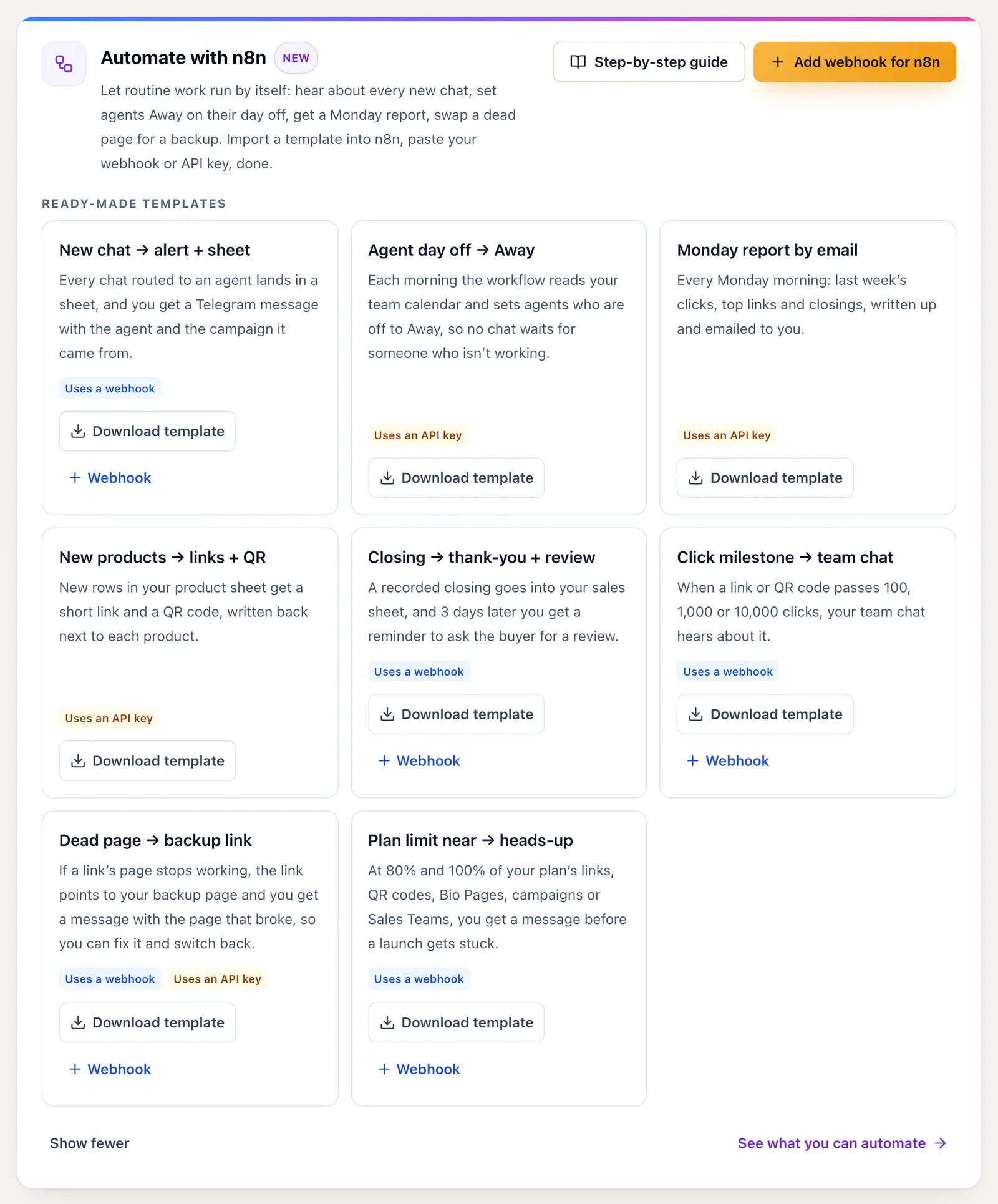
The Automate with n8n card on the Integrations page has 8 workflows you can download and import into n8n, for alerts, reports, product links and more.
Updated October 12, 2026
n8n is an automation tool (n8n Cloud or your own server) that runs “when this happens, do that” workflows. iBuat.Link has 8 ready-made ones. You’ll find them on the Automate with n8n card at the top of the Webhooks tab in Integrations, which needs Pro or a higher plan.
| Template | Starts from | API key |
|---|---|---|
| New chat → alert + sheet | Webhook: Chat sent to an agent | None |
| Agent day off → Away | Every morning | Read & write |
| Monday report by email | Every Monday | Read only |
| New products → links + QR | Every 15 minutes | Read & write |
| Closing → thank-you + review | Webhook: Closing recorded | None |
| Click milestone → team chat | Webhook: Click milestone reached | None |
| Dead page → backup link | Webhook: Destination stopped working | Read & write |
| Plan limit near → heads-up | Webhook: Plan limit almost reached / reached | None |
Use a template
- 1
Download it
Click Show all 8 templates, then Download template on the one you want. You get a .json file.
- 2
Import it into n8n
In n8n, open a new workflow and choose Import from File. A setup note inside the workflow lists what to fill in.
- 3
Connect it to iBuat.Link
Templates marked Uses a webhook need a webhook: click + Webhook on the card, which fills in the name and ticks the right events, then paste the n8n Production URL. Templates marked Uses an API key need a key from Developer.
- 4
Paste the signing secret
Paste the webhook’s signing secret into the “Sign the request” node. The next node checks every request, so the workflow only runs for real iBuat.Link events.
The full walkthrough, with what to fill in for each template, is in the n8n guide below.
Full tutorialHow to automate iBuat.Link with n8n (8 ready-made workflows)Read the guideRelated articles
- Add a webhookA webhook sends an HTTPS POST to n8n, your CRM or your own server when something happens in iBuat.Link. Available on Pro and higher plans.
- Verify webhook signaturesCheck the x-ibuat-signature header so your endpoint only trusts requests that really come from iBuat.Link.
- Create an API keyCreate a key on the Developer page to use the iBuat.Link API from your own apps or tools like n8n. Choose Read only or Read & write. Pro and higher plans.
- Create links and QR codes in bulk with the APICreate up to 100 short links or QR codes in one API request and get a result for each item. Plan quotas and hourly limits still apply.
Still need help?
Send us a ticket from your dashboard: the headset button at the top right, then Contact support. We reply there and by email.