Change the email address on your account
Ask for the change in Account settings. Your current address approves it, the new address confirms it, and then every device is signed out.
Updated October 13, 2026
You change your email from Account settings. To keep your account safe, the move needs two clicks: one from your current address and one from the new address.
- 1
Open the change form
Click your name at the bottom of the sidebar → Account settings. Under Profile, next to your email address, click Change email.
- 2
Enter the new address
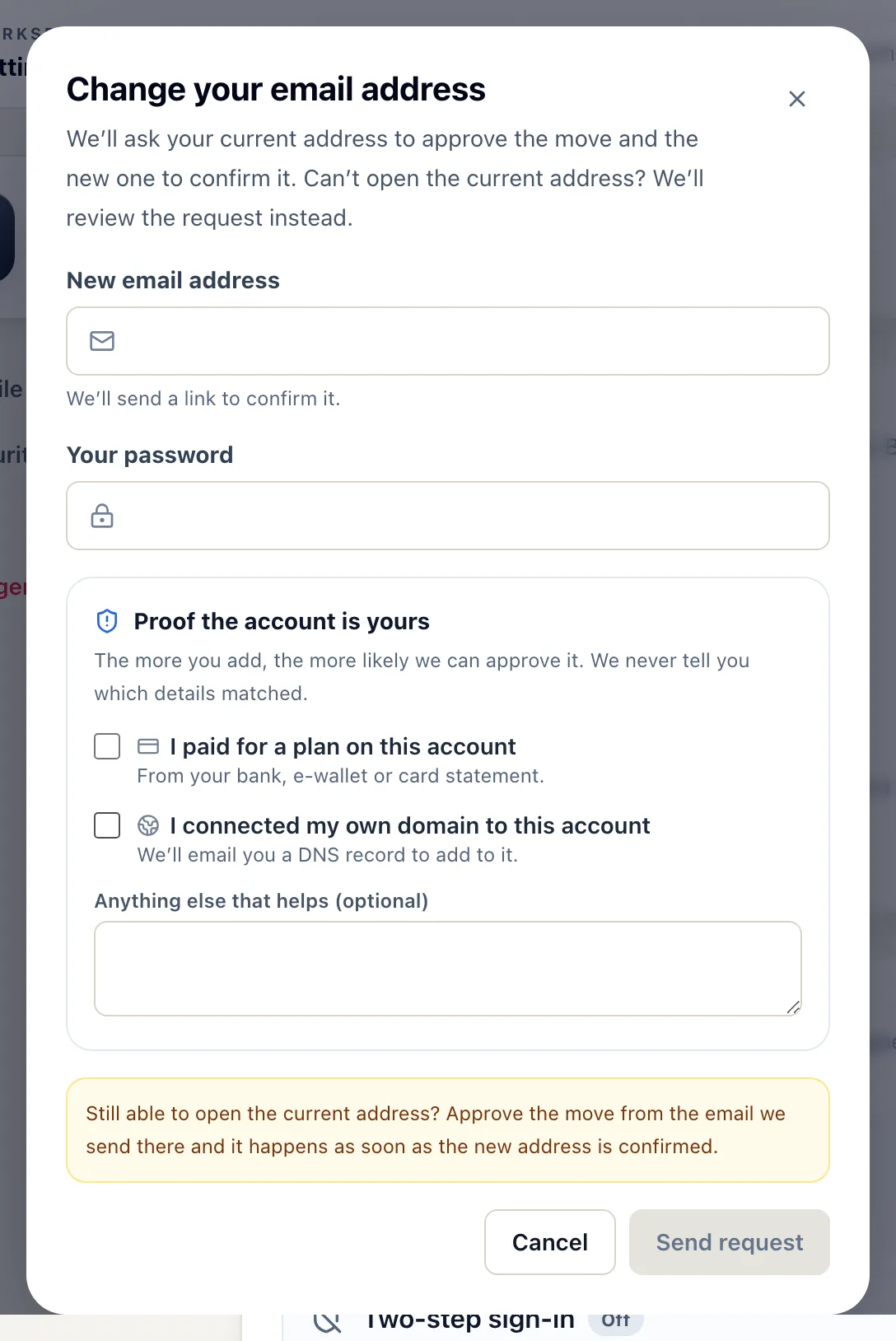
Fill in New email address and Your password (no password because you signed up with Google? Click Email me a code and type the code), then click Send request. The proof fields are optional here. They only matter if you can’t open your current address.
- 3
Approve from your current address
Your current inbox gets an email titled “Approve the change of your iBuat.Link email”. Click Yes, it’s me, then Yes, move my account.
- 4
Confirm the new address
The new inbox gets “Confirm your new email for iBuat.Link”. Click the link, then Confirm address.
As soon as both are done (in any order), the account moves to the new address. Every device is signed out, and we email both addresses. Sign in again with the new one.
Can’t open your current address?
Send the request anyway and add proof under Proof the account is yours (a payment you made or a domain you connected). Nothing changes for 7 days, so the real owner has time to cancel. After that our team reviews the request and approves it only with strong proof. Account recovery explains what counts.
Good to know
- The new address can’t already belong to another iBuat.Link account.
- An account can have one request in progress at a time. Otherwise you see “This account already has a recovery request in progress.”
- After five wrong passwords, wait an hour before trying again.
- Didn’t ask for a change? Click Cancel this request in the email, then change your password.
Related articles
- Recover an account you can’t sign in toLost access to your email or your sign-in code? Send a recovery request. The current address can cancel it, and our team reviews it after 7 days.
- Change or reset your passwordSigned in, change it under Account settings → Security. Forgot it, use “Forgot password?” on the sign-in page to get a reset link that works for 1 hour.
- Emails from iBuat.Link aren’t arrivingCheck spam and promotions first. Our emails come from an @ibuat.link address, and each kind of link or code is only valid for a while.
- See where your account is signed inAccount settings → Security lists the devices signed in right now, with location and IP. You can sign devices out from there, and we email you when a new device or country signs in.
Still need help?
Send us a ticket from your dashboard: the headset button at the top right, then Contact support. We reply there and by email.