Change your name and Bio Page username
Edit your full name and public username in Account settings → Profile. Changing the username changes your Bio Page addresses.
Updated October 12, 2026
Your profile has two things: your full name and a public username. The username is part of every Bio Page address (ibuat.link/@username/…), and you can also sign in with it instead of your email.
- 1
Open your profile
Click your name at the bottom of the sidebar → Account settings. Under Profile, click Edit.
- 2
Change the fields
Update Full name or Public Bio Page username, then click Save changes.
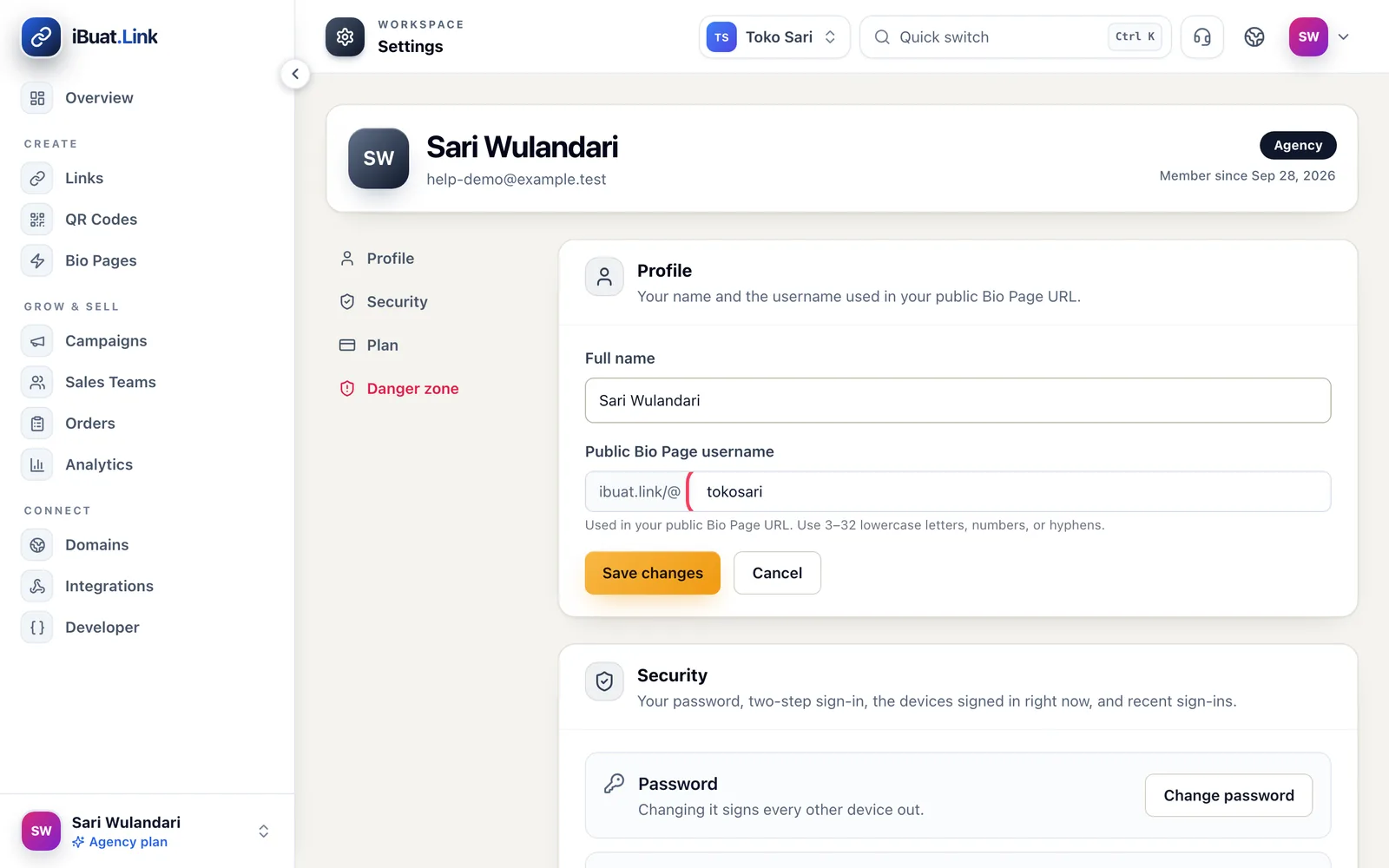
A username uses 3–32 lowercase letters, numbers or hyphens, and starts and ends with a letter or number. It has to be free, and a few words are reserved. A suspended account can’t change its username.
Before you change your username
Your Bio Page addresses change with it, so the dashboard asks you to tick “I understand. Change my username to @…” first.
- Visitors of an old ibuat.link/@old-name/… address are sent to your new username, as long as nobody else has taken the old one.
- Nobody else can take your old username for 90 days, and you can take it back any time. After that someone else can claim it, and your old addresses then open their page or nothing.
- QR codes and ibuat.link/r/ short links made for a Bio Page keep working.
Your email address is changed separately. See Change the email address on your account.
Related articles
- Change the email address on your accountAsk for the change in Account settings. Your current address approves it, the new address confirms it, and then every device is signed out.
- Create a Bio PageBuild a link-in-bio page from a ready-made template or a blank page, then add your links, WhatsApp and products. It stays a draft until you publish it.
- Publish your Bio Page and choose its URLPublish a draft so visitors can see it, find and change its address (ibuat.link/@username/slug), or show the page on your own domain.
Still need help?
Send us a ticket from your dashboard: the headset button at the top right, then Contact support. We reply there and by email.