Change or reset your password
Signed in, change it under Account settings → Security. Forgot it, use “Forgot password?” on the sign-in page to get a reset link that works for 1 hour.
Updated October 12, 2026
If you know your current password, change it from Account settings. If you forgot it, reset it from the sign-in page. Either way, every other device is signed out.
Change it while signed in
- 1
Open Security
Click your name at the bottom of the sidebar → Account settings. In Security, next to Password, click Change password.
- 2
Enter the passwords
Fill in Current password, New password and Confirm new password, then click Update password.
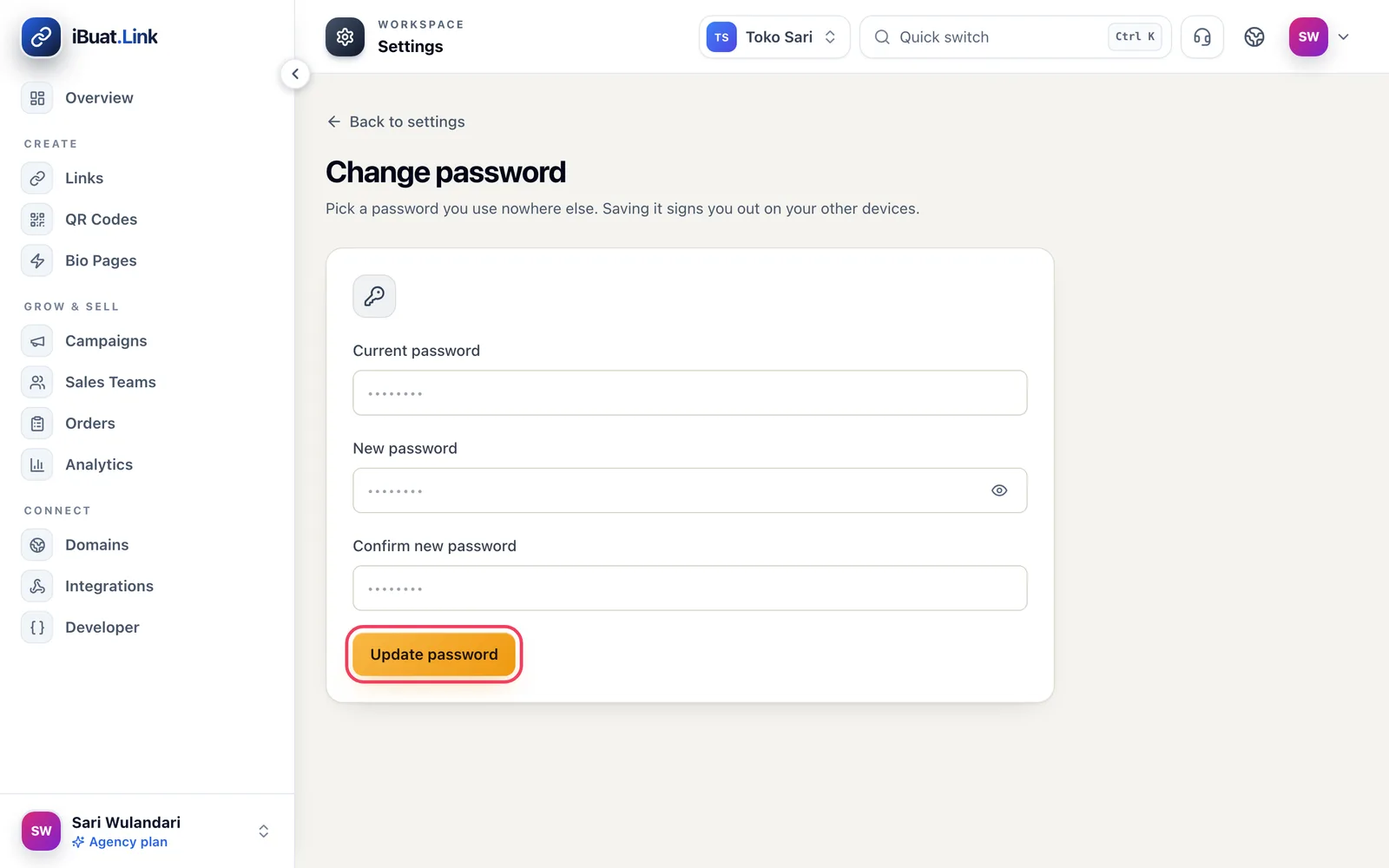
The new password needs at least 8 characters with an uppercase letter, a lowercase letter, a number and a symbol. After too many wrong current passwords you have to wait an hour, or reset it instead.
Reset it when you forgot it
- 1
Ask for a reset link
On the sign-in page, click Forgot password?, enter your account email and click Send reset link.
- 2
Open the email
The link works for 1 hour. Check your spam folder if it doesn’t show up.
- 3
Pick a new password
On Create new password, enter it twice and click Save new password. Then sign in.
With two-step sign-in on, you still enter the emailed code after a reset. Can’t open your account email at all? Go to account recovery.
Related articles
- Turn on two-step sign-inAfter your password, iBuat.Link asks for a 6-digit code sent to your email. Turn it on or off in Account settings → Security.
- See where your account is signed inAccount settings → Security lists the devices signed in right now, with location and IP. You can sign devices out from there, and we email you when a new device or country signs in.
- Recover an account you can’t sign in toLost access to your email or your sign-in code? Send a recovery request. The current address can cancel it, and our team reviews it after 7 days.
- Emails from iBuat.Link aren’t arrivingCheck spam and promotions first. Our emails come from an @ibuat.link address, and each kind of link or code is only valid for a while.
Still need help?
Send us a ticket from your dashboard: the headset button at the top right, then Contact support. We reply there and by email.