Change the dashboard language
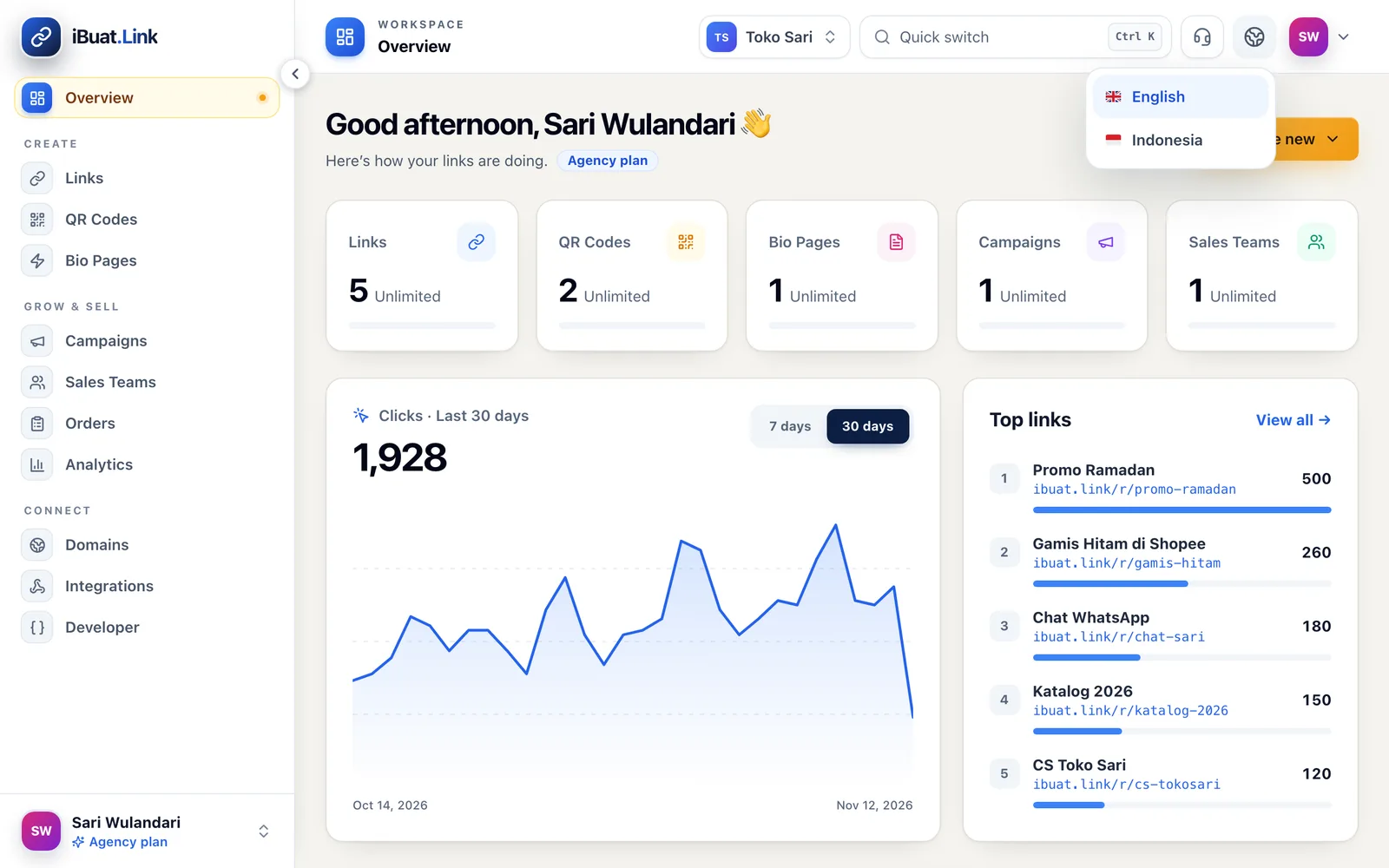
Switch the dashboard between English and Indonesian with the globe button in the header. The choice is saved to your account.
Updated October 12, 2026
The dashboard comes in English and Indonesia (Indonesian). You can switch anytime.
- 1
Click the globe button
It’s in the header, between the headset button and your avatar.
- 2
Pick a language
Choose English or Indonesia. The page changes right away; there’s nothing to save.
What the setting changes
- Every dashboard page, menu and message, and how numbers and dates are written (1,234 in English, 1.234 in Indonesian).
- Account emails such as email verification, password reset, the welcome email and payment receipts.
- The Help Center that opens from the headset button.
The choice is saved to your account, so it follows you to other devices and browsers once you sign in.
Related articles
- A quick tour of the dashboardWhat each part of the sidebar and the header does, so you know where to find links, QR codes, Bio Pages, billing, support and your settings.
- Find anything fast with Quick switch (Ctrl K)Press Ctrl K (⌘K on a Mac) to search your links, QR codes, campaigns and Bio Pages, jump to any dashboard page, or start creating something.
- Contact supportOpen a ticket from the headset button in the dashboard header. Replies show up in the dashboard and in your email, usually within one business day.
Still need help?
Send us a ticket from your dashboard: the headset button at the top right, then Contact support. We reply there and by email.