Create your first short link in 2 minutes
Paste a long address, get a short link you can share anywhere, and watch the clicks come in.
Updated October 12, 2026
All you need is the address you want people to land on. Everything else is optional and can be changed later.
- 1
Open Links
In the sidebar, click Links, then Create link. On the Overview, Create new → Short link does the same.
- 2
Paste the destination
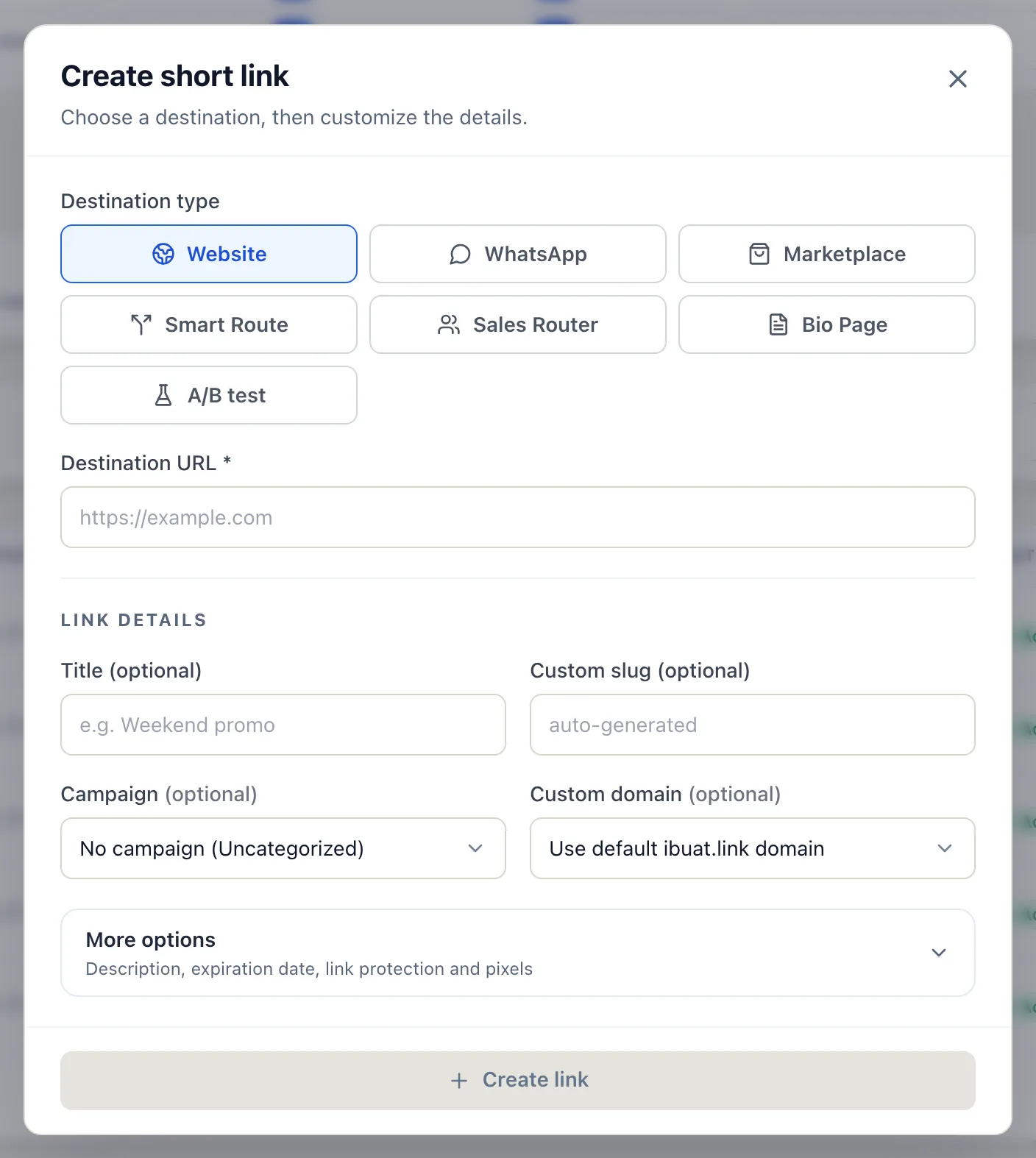
Leave Website selected and paste the address into Destination URL, starting with https://. For a chat link, pick WhatsApp instead and type your number.
- 3
Name it (optional)
A Title like “Weekend promo” helps you find it later. Fill Custom slug for your own ending, such as spring-sale, or leave it empty for a random one.
- 4
Create it
Click Create link. The new link appears at the top of the list as ibuat.link/r/ followed by the slug.
- 5
Share it
Click the copy icon (Copy link) on its row and paste it into your bio, chat or ad.
Open the link once yourself to check it lands where you expect. Clicks show up in the Clicks column and on the link’s Analytics page, and the Get your first click step of the checklist on the Overview ticks itself.
Full tutorialHow to create a WhatsApp link with a prefilled messageRead the guideRelated articles
- Create a short linkEvery field in the Create short link form: destination, title, custom slug, campaign, custom domain, expiration date and description, plus the limits that apply.
- Choose your own link ending (custom slug)The rules for the custom slug at the end of a short link: 3–50 lowercase letters, numbers or hyphens, not a reserved word, and not used before by anyone.
- Link destination typesThe six destination types in the link form (Website, WhatsApp, Marketplace, Smart Route, Sales Router and Bio Page) and what each one needs.
- Edit a short linkChange a link’s destination, title, status, campaign, domain or expiry. The short address stays the same, so everyone who already has it gets the new destination.
Still need help?
Send us a ticket from your dashboard: the headset button at the top right, then Contact support. We reply there and by email.