Delete a short link
Deleting a link stops it for everyone and frees a slot in your plan. It can’t be undone, and its slug can’t be used again.
Updated October 12, 2026
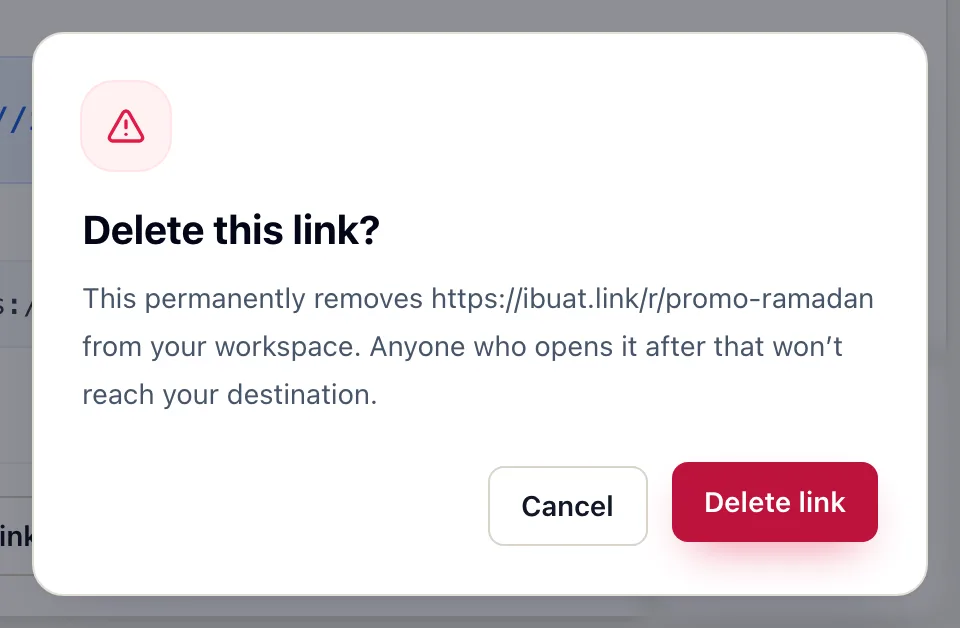
On Links, click the trash icon (Delete link) on the row, or open the link and click Delete. Confirm with Delete link.
What happens
- The link stops at once. Anyone who opens it gets a Link Not Found page.
- It disappears from your Links list and frees a slot in your plan’s link limit.
- Its slug stays taken for good, also for you, so nobody can make the same address point somewhere new.
- QR codes have their own links and aren’t affected. Delete a QR code from QR Codes.
Can I get it back?
No. There’s no undo or trash, and because the slug can’t be reused, the same address can’t be created again. If you only want to pause a link, set its Status to Disabled instead; you can turn it back on anytime.
Related articles
- Set an expiry date or turn a link offMake a link stop working on a set date, or switch it off and on by hand, and see what visitors get when it’s off.
- Edit a short linkChange a link’s destination, title, status, campaign, domain or expiry. The short address stays the same, so everyone who already has it gets the new destination.
- Choose your own link ending (custom slug)The rules for the custom slug at the end of a short link: 3–50 lowercase letters, numbers or hyphens, not a reserved word, and not used before by anyone.
- Plans and their limitsWhat Free, Creator, Pro, Business and Agency each include: links, QR codes, Bio Pages, tracked clicks, analytics history, domains, orders and more.
Still need help?
Send us a ticket from your dashboard: the headset button at the top right, then Contact support. We reply there and by email.