Import many links from a CSV
Create up to 500 short links at once from a CSV file or rows pasted from Google Sheets or Excel. Available on Creator and up.
Updated October 12, 2026
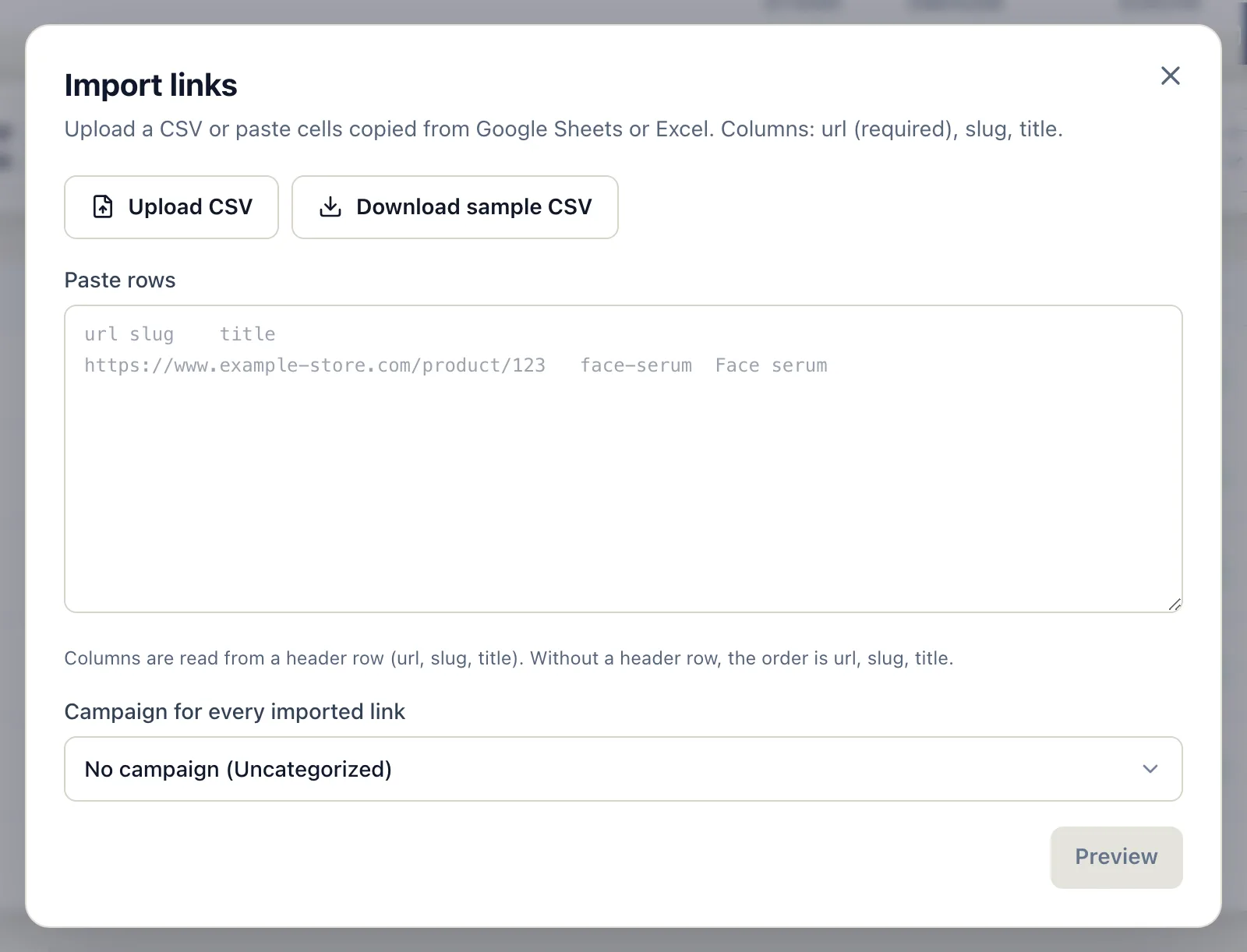
On Links, click Import. Importing is part of the Creator plan and up; on Free you’ll see an upgrade prompt.
- 1
Add your rows
Click Upload CSV (a .csv, .tsv or .txt file) or paste cells into Paste rows. Download sample CSV gives you a file to start from.
- 2
Check the columns
url is required, slug and title are optional. With a header row, columns are found by name in any order (destination, tujuan, alias and judul work too). Without one, the order is url, slug, title.
- 3
Pick a campaign (optional)
Campaign for every imported link puts them all in one campaign.
- 4
Preview
Click Preview. Rows with a problem are marked and skipped; the others say Ready.
- 5
Create
Click Create N links and wait for the progress to finish. Then Download results (CSV) or Copy short links.
Rules and limits
- Up to 500 rows per import. Rows past that are left out; import them in a second round.
- Every imported link is a Website link. For other destination types, edit the link afterwards.
- An address without http(s):// gets https:// added. Commas, semicolons and tabs all work as separators.
- Slugs follow the usual rules (3–50 lowercase letters, numbers or hyphens) and can’t repeat within the file. Titles can be up to 100 characters.
- Each row counts toward your plan’s link limit. If fewer slots are left than rows, only the first rows are created, and the preview tells you so.
- Each row goes through the same checks as a link made by hand, so a taken slug or a refused destination only fails that row.
| Creator | Pro | Business | Agency |
|---|---|---|---|
| 100 | 600 | 2,000 | 2,000 |
Rows past the hourly limit fail with Hourly creation limit reached, try again later. Import those rows again later.
Related articles
- Create a short linkEvery field in the Create short link form: destination, title, custom slug, campaign, custom domain, expiration date and description, plus the limits that apply.
- Choose your own link ending (custom slug)The rules for the custom slug at the end of a short link: 3–50 lowercase letters, numbers or hyphens, not a reserved word, and not used before by anyone.
- What happens when you reach a limitAt a limit you can’t create more of that item, but everything you already made keeps working. At 80% the dashboard warns you on the Overview.
- Create links and QR codes in bulk with the APICreate up to 100 short links or QR codes in one API request and get a result for each item. Plan quotas and hourly limits still apply.
Still need help?
Send us a ticket from your dashboard: the headset button at the top right, then Contact support. We reply there and by email.