Choose your own link ending (custom slug)
The rules for the custom slug at the end of a short link: 3–50 lowercase letters, numbers or hyphens, not a reserved word, and not used before by anyone.
Updated October 12, 2026
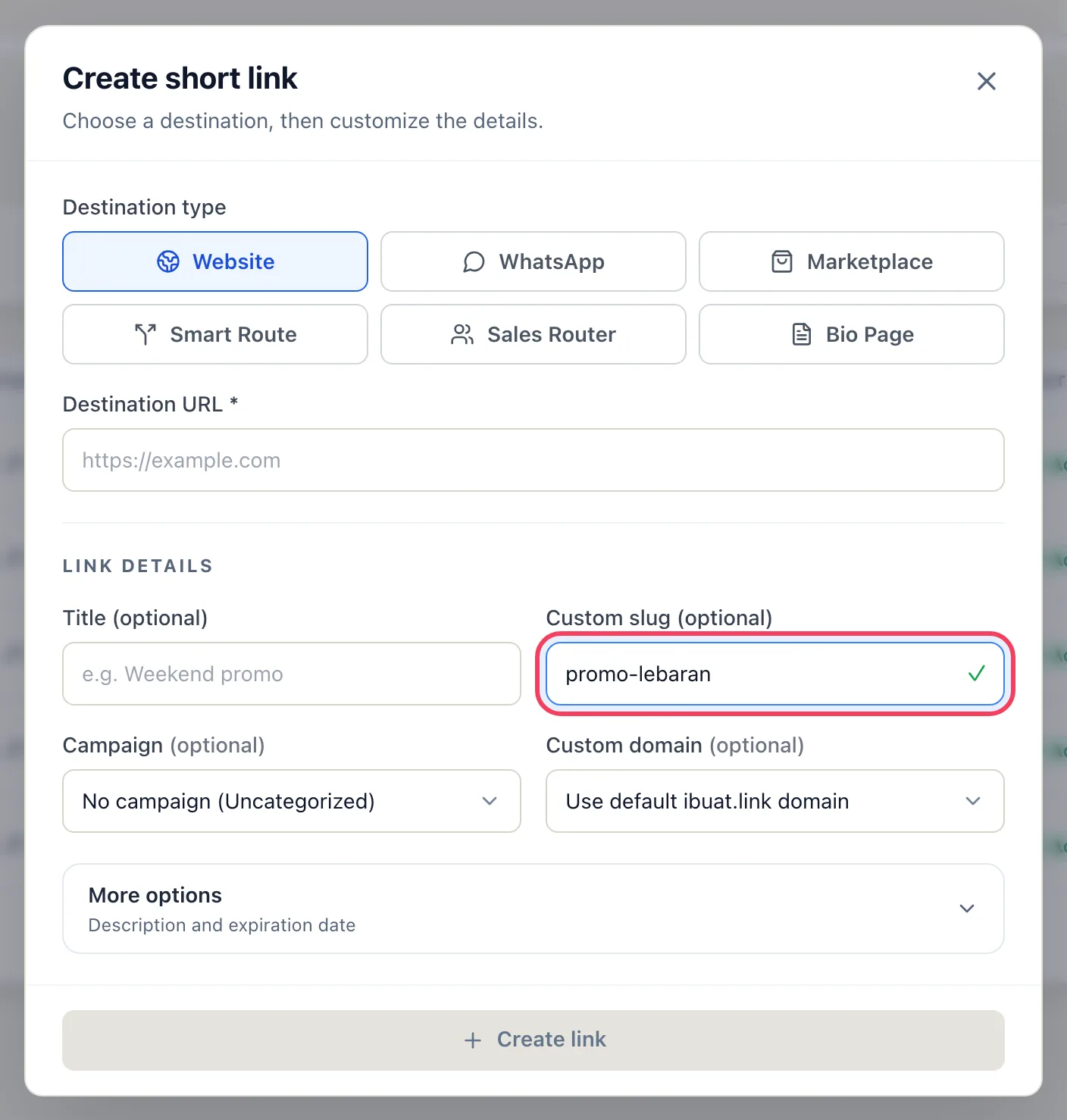
The slug is the part after /r/ in a short link: in ibuat.link/r/spring-sale it’s spring-sale. Set it in Custom slug (optional) when you create a link. Leave it empty and you get a random one.
The rules
- 3 to 50 characters.
- Lowercase letters a–z, numbers 0–9 and hyphens (-) only. No spaces, underscores, dots or emoji. Capitals you type become lowercase.
- Not a reserved word. These are kept for iBuat.Link’s own pages: about, admin, api, app, auth, billing, blog, contact, dashboard, demo, docs, faq, features, help, home, legal, login, logout, pricing, privacy, profile, register, settings, signup, status, support, team, terms.
- Not used before by anyone. Slugs are shared by everyone on iBuat.Link, so a common word may already be taken, even if you use your own domain.
The availability check
The field checks the slug while you type (Checking availability…). A green ✓ means it’s free. A red ✗ comes with Not available. It’s taken, reserved, or not 3–50 lowercase letters, numbers or hyphens., and Create link stays greyed out until you change it.
After the link is created
- The slug can’t be changed. For a different ending, create a new link (and delete the old one if you don’t need it).
- A deleted link’s slug stays taken for good, also for you, so an old shared or printed address never starts pointing somewhere new.
Related articles
- Create a short linkEvery field in the Create short link form: destination, title, custom slug, campaign, custom domain, expiration date and description, plus the limits that apply.
- Edit a short linkChange a link’s destination, title, status, campaign, domain or expiry. The short address stays the same, so everyone who already has it gets the new destination.
- Delete a short linkDeleting a link stops it for everyone and frees a slot in your plan. It can’t be undone, and its slug can’t be used again.
- Connect your own domainUse a domain you own, such as link.yourshop.com, for your short links and Bio Pages. Available on Creator and higher plans.
Still need help?
Send us a ticket from your dashboard: the headset button at the top right, then Contact support. We reply there and by email.