Send visitors to different places with Smart Route
A Smart Route link checks the visitor’s device, country or time of day and sends them where you set for that case, with a fallback for everyone else.
Updated October 12, 2026
One short link, several destinations. For example: phones go to your WhatsApp, visitors from Malaysia to your Shopee Malaysia shop, and everyone else to your website.
Smart Route is on Creator and up. On Free, Smart Route shows a lock and a Creator badge, and clicking it shows the upgrade offer. Smart Route links made on Free before keep working: you can still edit their rules, switch them to another destination type or delete them.
- 1
Choose Smart Route
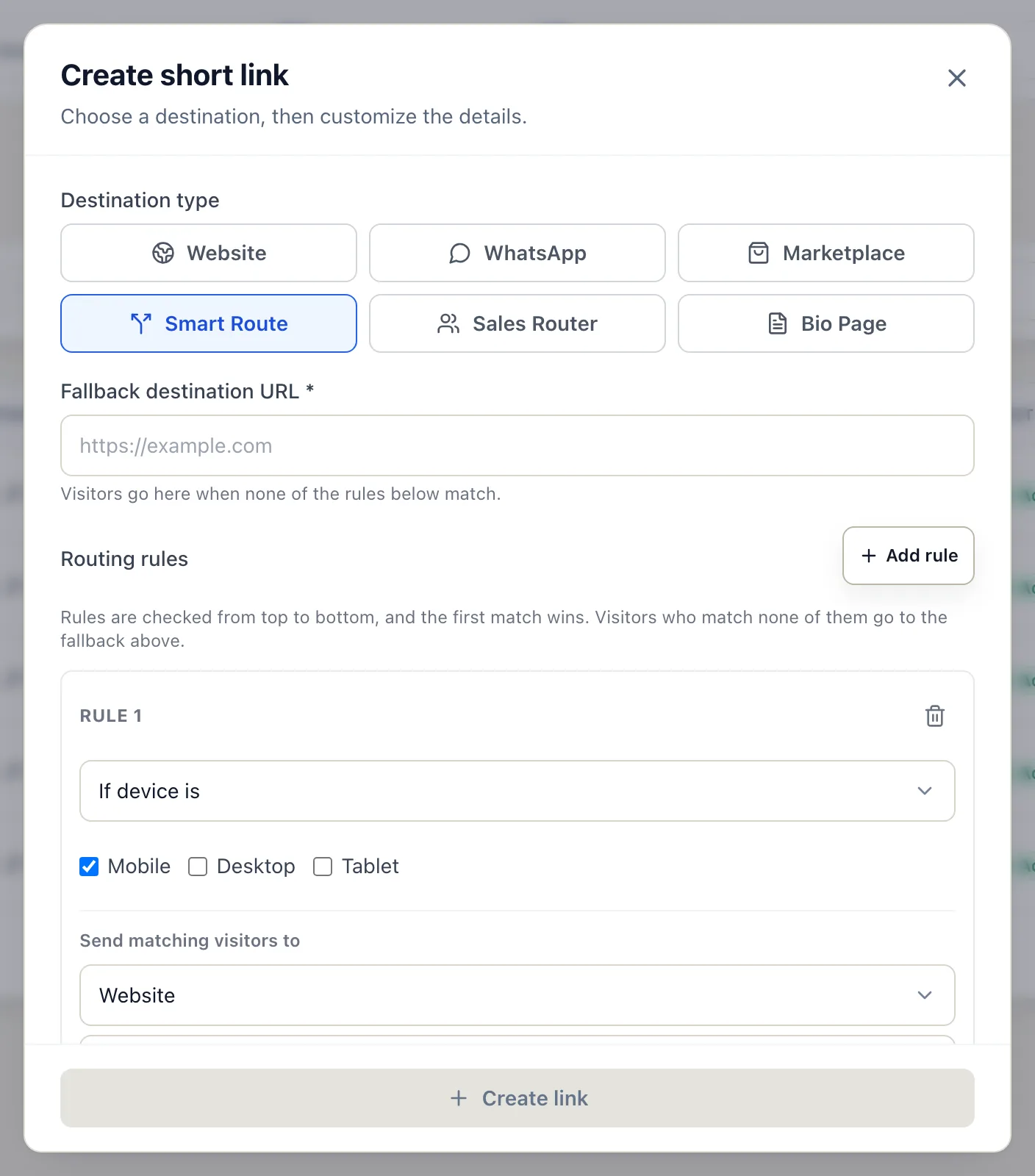
In Create link (or on the Edit link page), pick Smart Route as the destination type.
- 2
Set the fallback
Fallback destination URL is where visitors go when no rule matches. It’s required.
- 3
Add rules
Click Add rule and choose If device is (Mobile, Desktop, Tablet), If country is (two-letter codes separated by commas, like ID, SG, MY) or If time is between (a Start hour and End hour from 0 to 23, in the Timezone you pick).
- 4
Pick where matching visitors go
Under Send matching visitors to, choose Website, Marketplace or WhatsApp and fill in the address or number.
- 5
Save
Click Create link, or Save changes when editing.
How the rules are read
- Rules are checked from top to bottom and the first match wins, so put the most specific rule first.
- Up to 10 rules per link.
- A window like 22 to 6 runs overnight. The same start and end hour (9 to 9, say) matches the whole day.
- A new time rule starts in your browser’s timezone. Change it if your customers live in another one.
- When a visitor’s country can’t be detected, country rules don’t match and the next rule or the fallback is used.
Related articles
- Link destination typesThe six destination types in the link form (Website, WhatsApp, Marketplace, Smart Route, Sales Router and Bio Page) and what each one needs.
- Edit a short linkChange a link’s destination, title, status, campaign, domain or expiry. The short address stays the same, so everyone who already has it gets the new destination.
- Read your analyticsThe Analytics page shows visits, unique visitors and where they came from across your workspace. Every link, QR code, Bio Page and campaign also has its own analytics page with the same cards.
Still need help?
Send us a ticket from your dashboard: the headset button at the top right, then Contact support. We reply there and by email.