Link destination types
The six destination types in the link form (Website, WhatsApp, Marketplace, Smart Route, Sales Router and Bio Page) and what each one needs.
Updated October 12, 2026
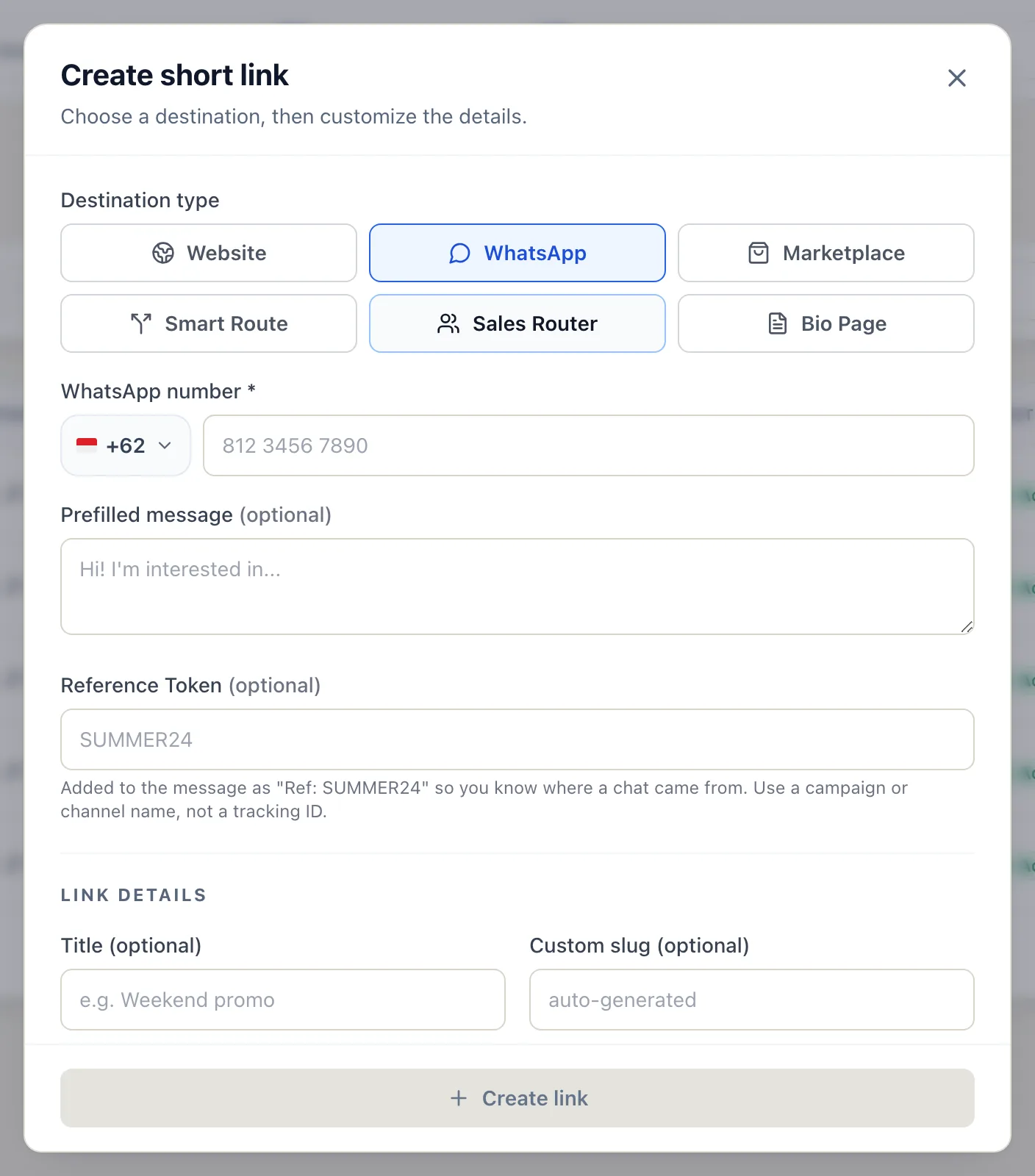
When you create or edit a link, Destination type decides where visitors go. You can switch a link to another type later; its short address stays the same.
| Type | Visitors go to | You fill in |
|---|---|---|
| Website | Any web page. | Destination URL, starting with http:// or https://. |
| A WhatsApp chat with your number. | WhatsApp number (pick the country code, then type the number the way you know it, like 07911…), plus an optional Prefilled message (up to 500 characters) and Reference Token. | |
| Marketplace | A product or shop page on Amazon, Shopee or another marketplace. | Marketplace URL. The Platform is detected from the address. Channel and Content are optional labels for your own reference. |
| Smart Route | A different place per device, country or time of day. | A Fallback destination URL and up to 10 rules. On Creator and up. See Smart Route links. |
| Sales Router | Your sales agents on WhatsApp, shared between them. | A Sales Team. On Creator and up. See Create a Sales Team. |
| Bio Page | One of your Bio Pages. | Pick the page. The link follows it if you rename the page. |
The Reference Token (letters, numbers, spaces, hyphens or underscores, up to 40) is added to the end of the message as “Ref: YOURTOKEN”, so whoever answers can see where the chat came from. Use a campaign or channel name, such as IG-BIO.
Marketplace and affiliate links
The URL is used exactly as you paste it, parameters and all, so affiliate and sub-ID tags stay. The form shows Affiliate parameters kept when the address carries them.
Bio Page
While the page is a Draft, visitors see an “unavailable” page until you publish it. The same happens if the page is deleted later.
Full tutorialHow to create a WhatsApp link with a prefilled messageRead the guideRelated articles
- Send visitors to different places with Smart RouteA Smart Route link checks the visitor’s device, country or time of day and sends them where you set for that case, with a fallback for everyone else.
- Create a short linkEvery field in the Create short link form: destination, title, custom slug, campaign, custom domain, expiration date and description, plus the limits that apply.
- A WhatsApp link doesn’t open the chatAlmost always the number: it needs the right country code and must be on WhatsApp. Also check the message, the app and, for Sales Router links, who is available.
- Publish your Bio Page and choose its URLPublish a draft so visitors can see it, find and change its address (ibuat.link/@username/slug), or show the page on your own domain.
Still need help?
Send us a ticket from your dashboard: the headset button at the top right, then Contact support. We reply there and by email.